Guide to Using the Citywide Knowledge Base

Sep 16, 2025
Overview
The Citywide Knowledge Base is a comprehensive repository of information concerning all things Citywide. Articles in the Knowledge Base are kept current, as new features and enhancements are added, functional revisions made, and existing features optimized.
Knowledge Base Structure
The Citywide Knowledge Base structure is similar to the structure of the Citywide system. This is directly reflected in the parallel "breadcrumb trails" of the two systems:
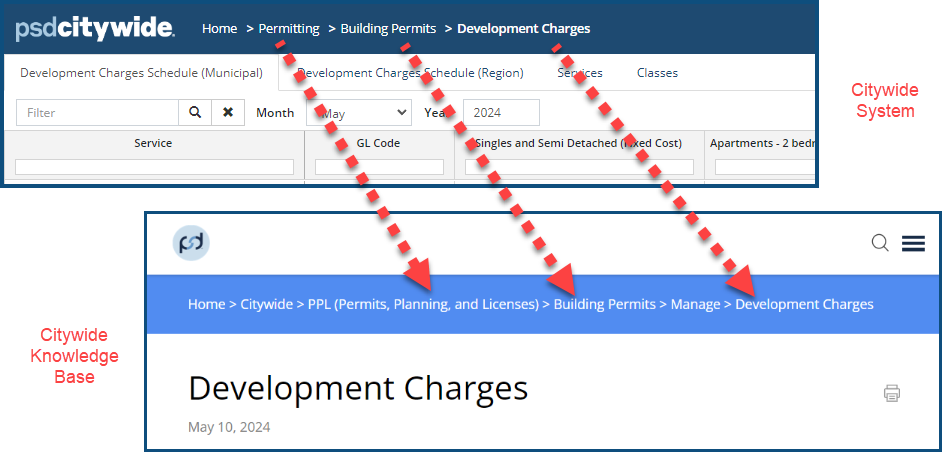
Navigating from one article to another in the Knowledge Base involves following a parallel pathway from one option to another within Citywide.
Structure of Articles
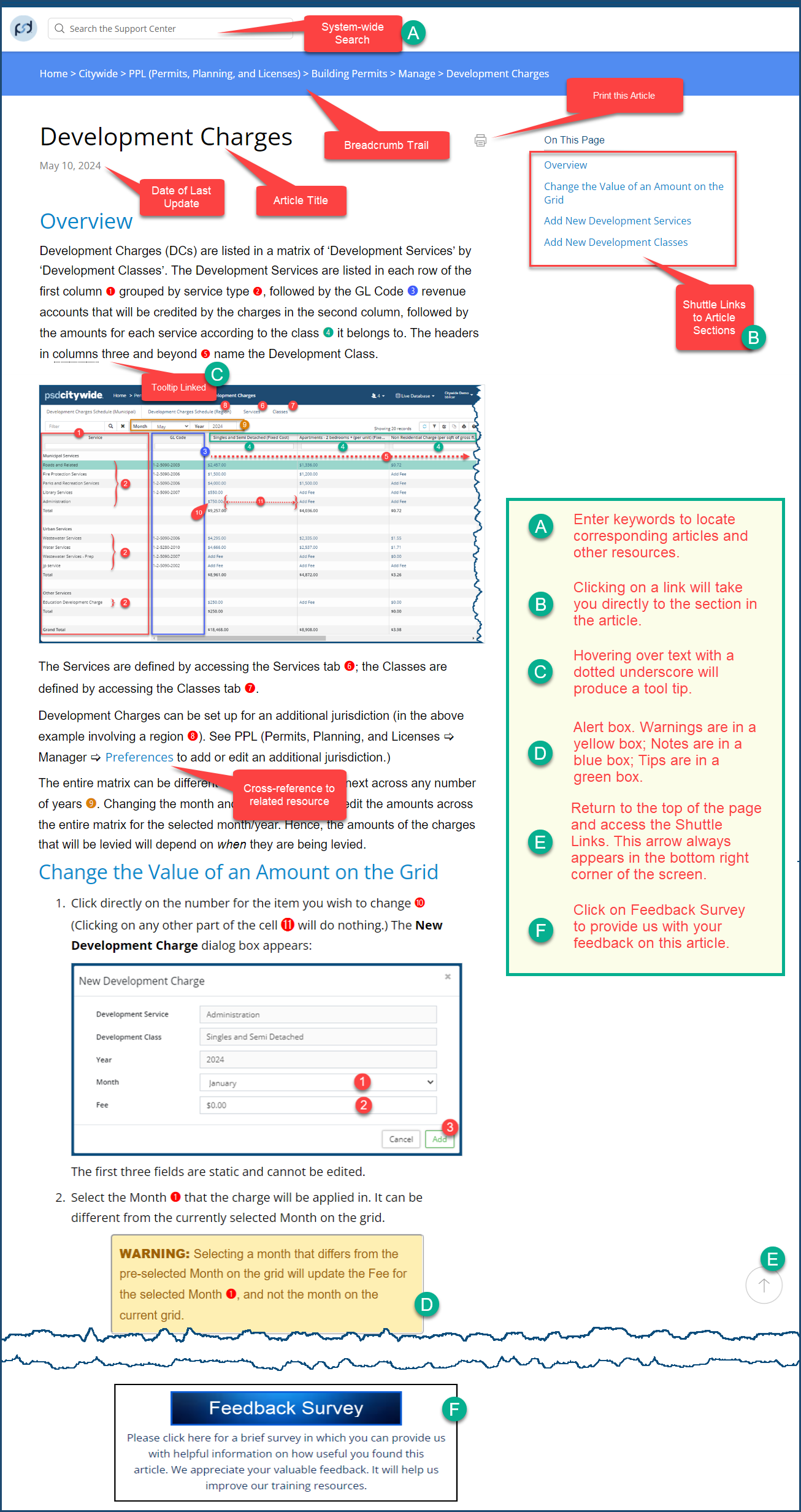
The following image shows the key components and areas of a standard Knowledge Base article page: