


Gain / (Loss) Codes

Jul 21, 2025
To add a code:
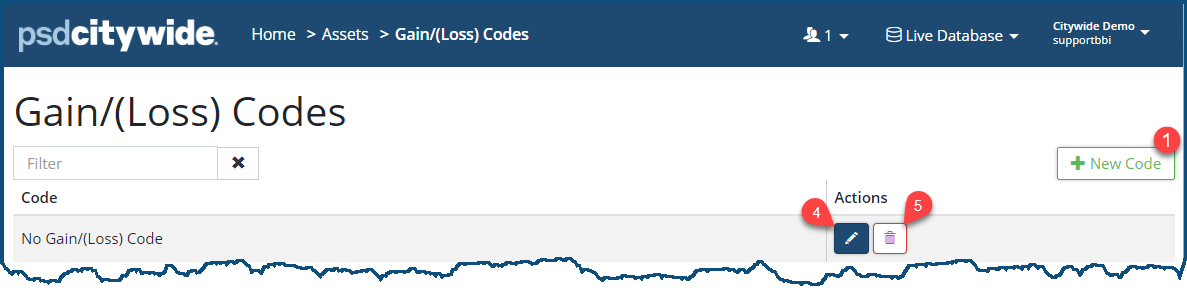
- Click the +New Code ❶.
- Enter a Code ❷.
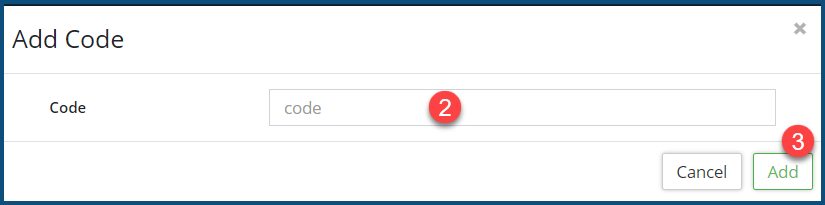
- Click Add ❸ to submit the new code.
- To edit a code, click on the Edit icon
 ❹.
❹. - To remove a code, click on the Delete icon
 ❺.
❺.
Once a code is added to the system, it can be attached to disposals. Click here to learn more.


