Overview
Failure Classifications are part of the Failure Tracking and Reporting system in Citywide. This system becomes available when the Maintenance module is turned on and connected to Assets.
Asset management includes repairing, replacing, maintaining, and retiring assets on time. Failure tracking helps support these activities by collecting information about what goes wrong with assets and why. This information can then be used to make better, more informed decisions about how assets are managed and maintained.
Initiation and Setup
Setting up the Failure Tracking and Reporting system involves three main steps:
- Create failure data
Define the basic information that makes up the failure coding system, known as Failure Classifications. - Organize failure data into workflows
Group the failure data into logical workflows using the Failure Workflow feature - Assign workflows to assets
Attach the workflows to the correct assets or asset groups using the Maintenance Metrics section in Asset Profiles.
The Four Core Components - The Raw Data
Failure Classifications involve four core components:
- Classes: a broad designation which involves naming and describing a failure type (e.g. "Engine Failure").
- Codes: a broad set of failure characteristics (identifiers, symptoms, etc.) that can be applied across numerous classes.
- Causes: a broad set of causes for the selected failures.
- Resolutions: a broad set of resolutions concerning failures.
The relationship between these four components is not hierarchical; codes are general and applicable to all classes, as are cause codes and resolution codes.
Here, for example, are three classes for which various failure codes, cause codes, and resolution codes can be applied:
| Class | Codes | Cause | Resolution |
|---|---|---|---|
|
|
|
|
Some failure codes—such as software-related issues—can apply to many different types of assets. For example:
-
A computer may fail to start because of a software problem.
-
Traffic signals may malfunction due to incorrect programming.
-
A vehicle engine may have issues after a faulty software update.
In the same way, causes and resolutions can often be shared across different assets. Any failure class or code may have multiple causes and multiple resolutions.
Defining Failure Classifications
Failure classifications should generally be written in broad, easy-to-apply terms. This allows the same classification to be used across many similar assets.
For example, “engine knocking” could apply to:
-
Vehicles such as cars, buses, and trucks
-
Construction equipment like loaders or backhoes
-
Landscaping equipment such as mowers and tractors
-
Backup generators
All of these assets use engines, and each could experience similar symptoms. The specific details of the failure will be captured later through the asset’s maintenance records.
Avoid making codes too specific. Overly detailed codes can result in too many classifications, making the system harder to manage and the data less useful. However, in some cases, more specific codes may be necessary depending on your goals and reporting needs.
Because of this, it’s a good idea to involve multiple departments—especially maintenance staff—when defining failure codes. They often have existing data and practical knowledge that can help turn assumptions into useful, actionable insights.
Organizing the Data into Failure Workflows
At this stage, the failure information exists in separate categories:
-
Failure codes
-
Causes
-
Resolutions
These pieces need to be grouped together into logical units called Failure Workflows. Each workflow connects a failure class with its appropriate causes and resolutions. Once created, these workflows can be used throughout the system.
Associating Failure Workflows with Assets
Different assets experience different types of failures. A single asset—or a group of similar assets—can be linked to multiple failure workflows.
Assets in Citywide are organized using Asset Profiles. Failure Workflows can be assigned to individual assets or to asset groups through these profiles.
You may want to apply default failure classes within the Asset Profile when:
-
Setting up the system for the first time
-
Adding a new group of assets
-
Resetting failure classifications for an existing asset group
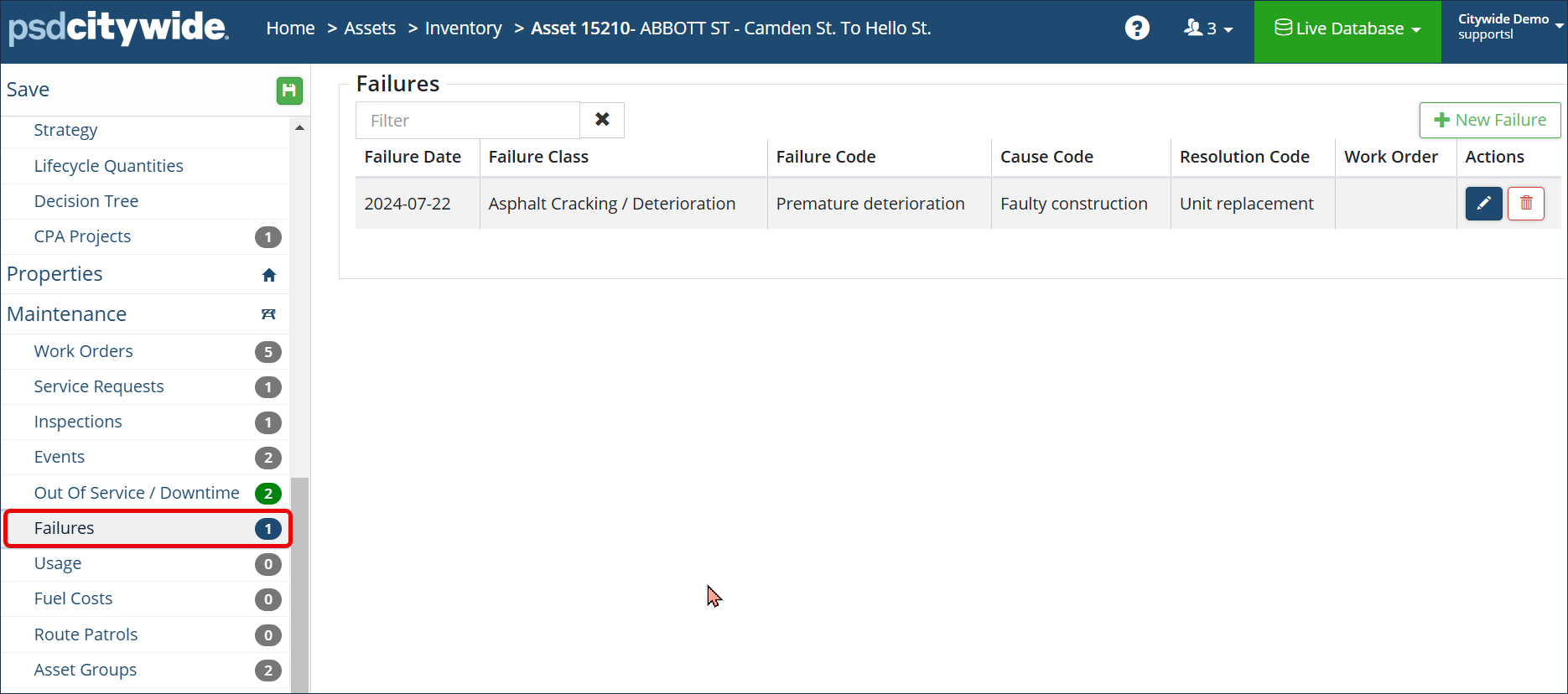
Once setup is complete, failure details for each asset can be recorded and tracked on the Asset Information page.