Deficiency Reports

Nov 11, 2024
Overview
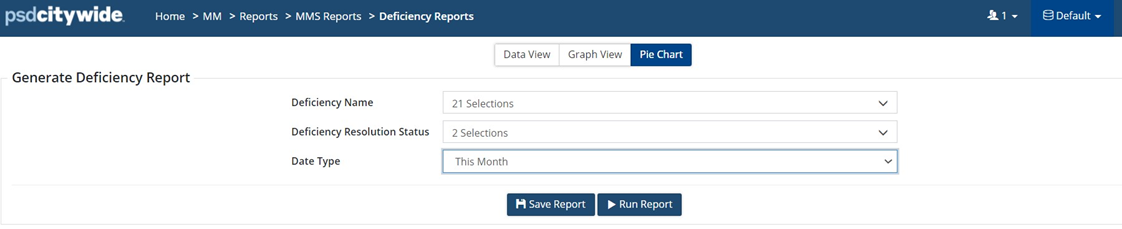
Custom Deficiency Reports can be generated for specific Deficiency Codes, Resolution Statuses and date ranges and saved under Saved Reports for consistent Deficiency Compliance reporting.
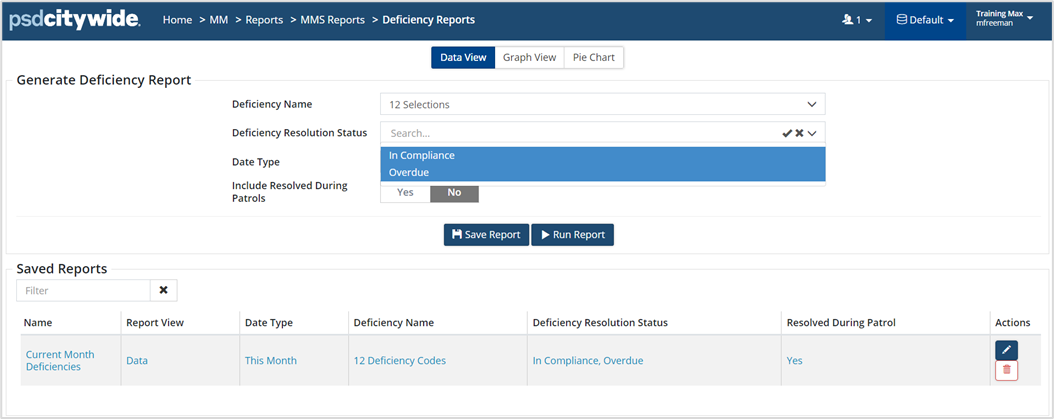
Custom grid views can be created and saved using Customize Columns on the toolbar.
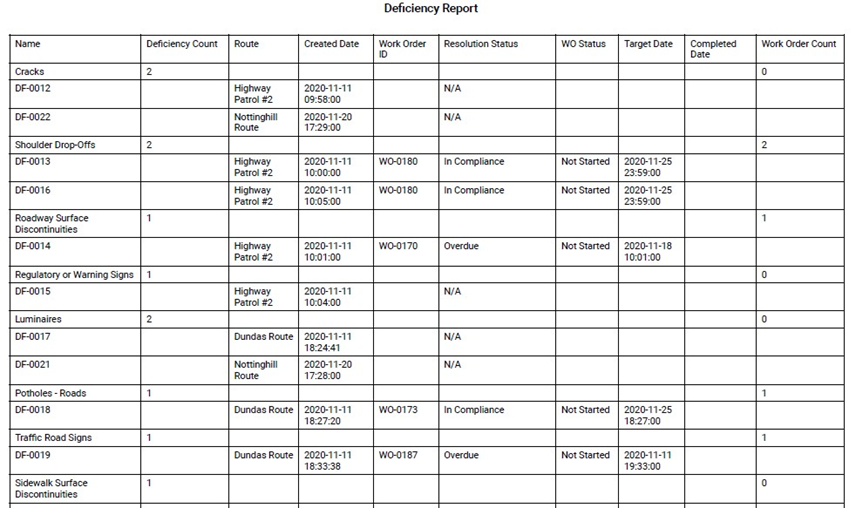
Screenshot example of a Deficiency Report:
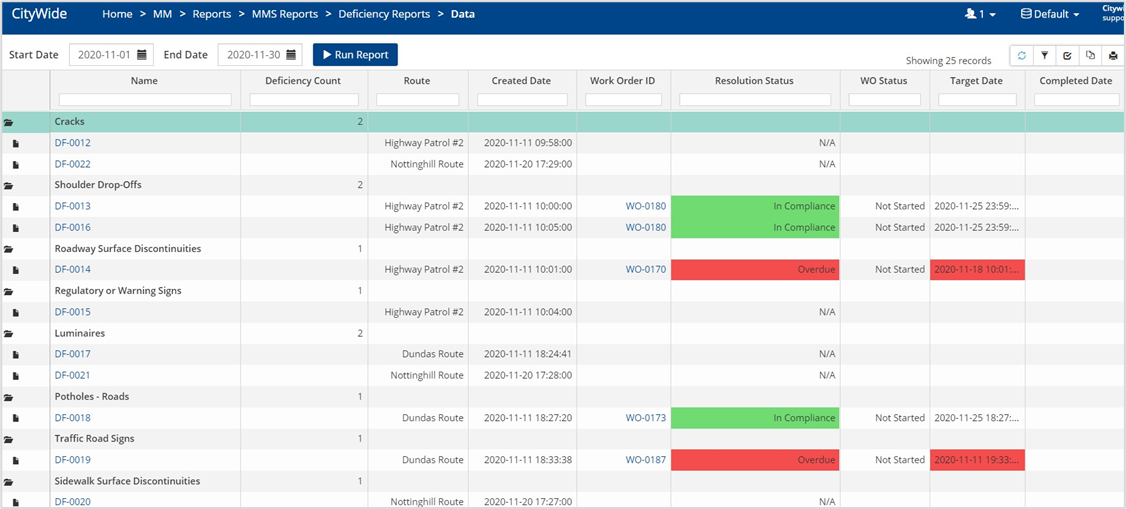
As shown in the above image, each deficiency type can be expanded to see individual deficiency records along with the Resolution Status based on the WO completion date falling within the compliance Target Date.
The report can be exported as a pdf using the Print Grid button on the toolbar.
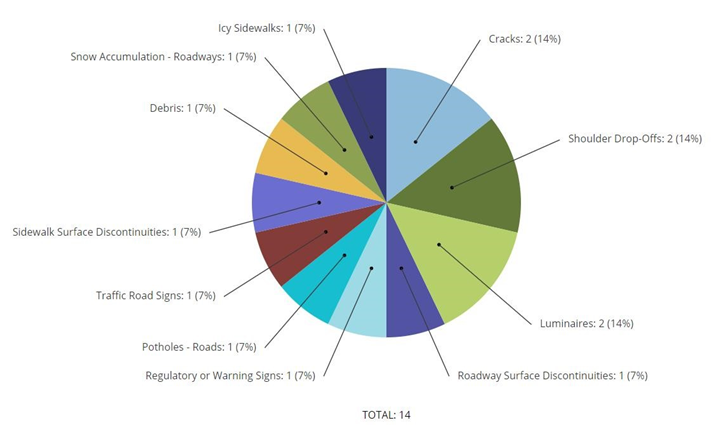
Graphs and pie charts can be created and exported to use in external reports and other documentation.