


Asset Patrol Report
The Asset Patrol Report is generated for specific road asset profiles or road classes. The compliance status ❶ and date range ❷ are used to selectively filter for a custom report. Click Run Report ❸ to view the report and click Save Report ❹ to save the format to be used for future quick reporting under Saved Reports ❺.
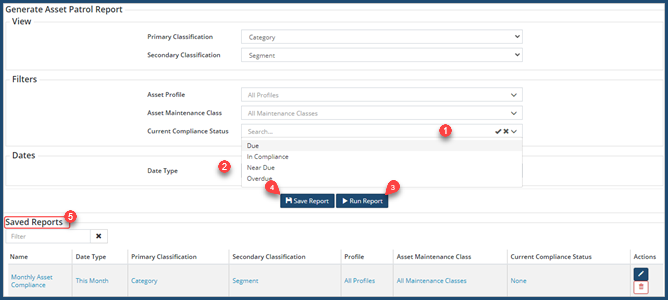
Screenshot example of an Asset Patrol Report (data view) showing patrols conducted in the last month:
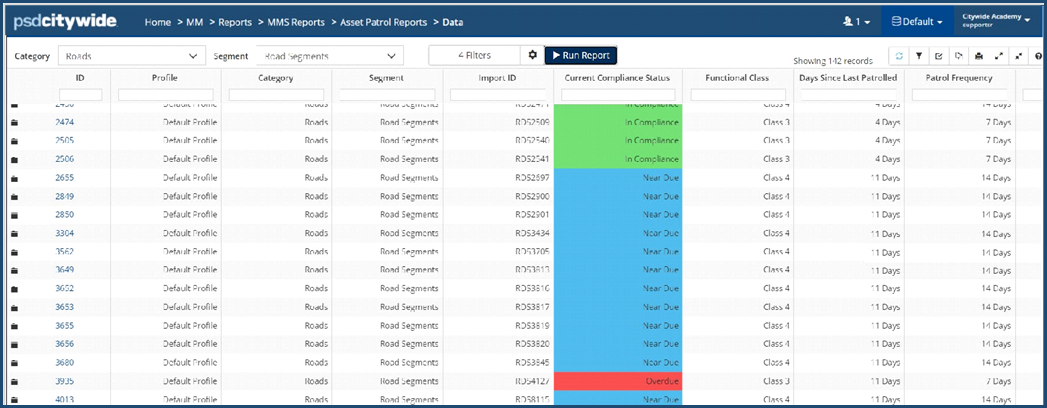
Each column within the report can be manually filtered to narrow down the results.
Use the Customize Columns ❻ on the toolbar to display/hide columns of information.
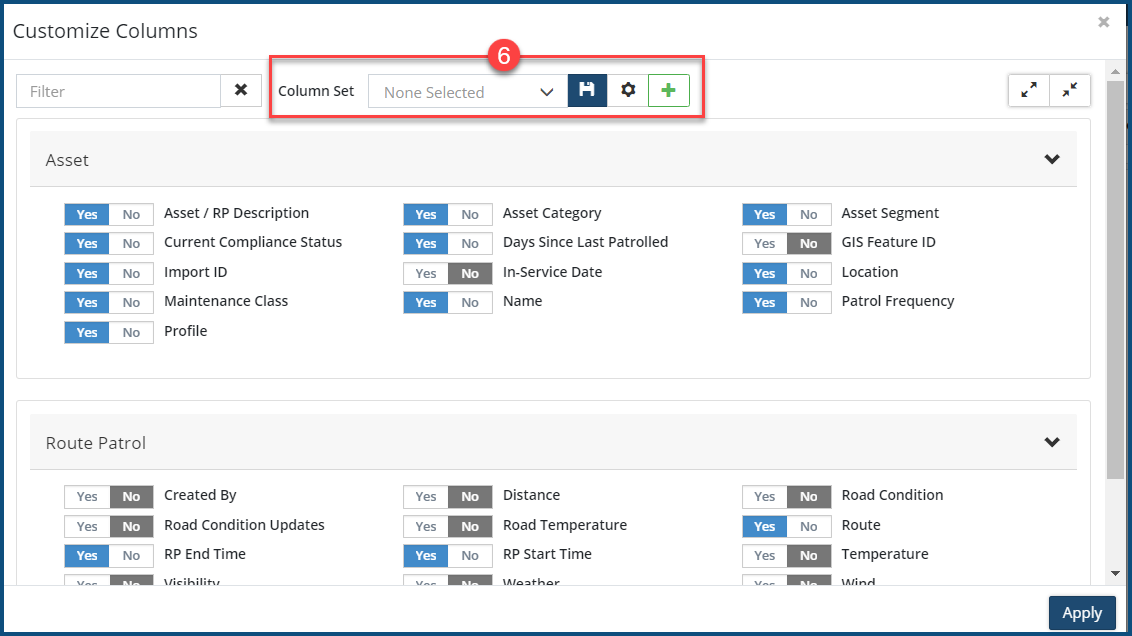
The preferred column view can be saved as a Column Set. The asset view can be expanded to see details of route patrols conducted on each asset.
The data view, as visible, can be printed as PDF using the Print button on the toolbar.


