


FIR (Financial Information Return) Schedules 51A, 51B, and 51B - Construction in Progress (formerly 51C) can be generated using the Financial Returns report. The Classifications Function, Sub-Function, and Schedule 51 B Code need to be setup and assigned to all relevant assets for these reports to run accurately. Click here for more information on setting up Classifications in Citywide.
|
Report Type |
|
|
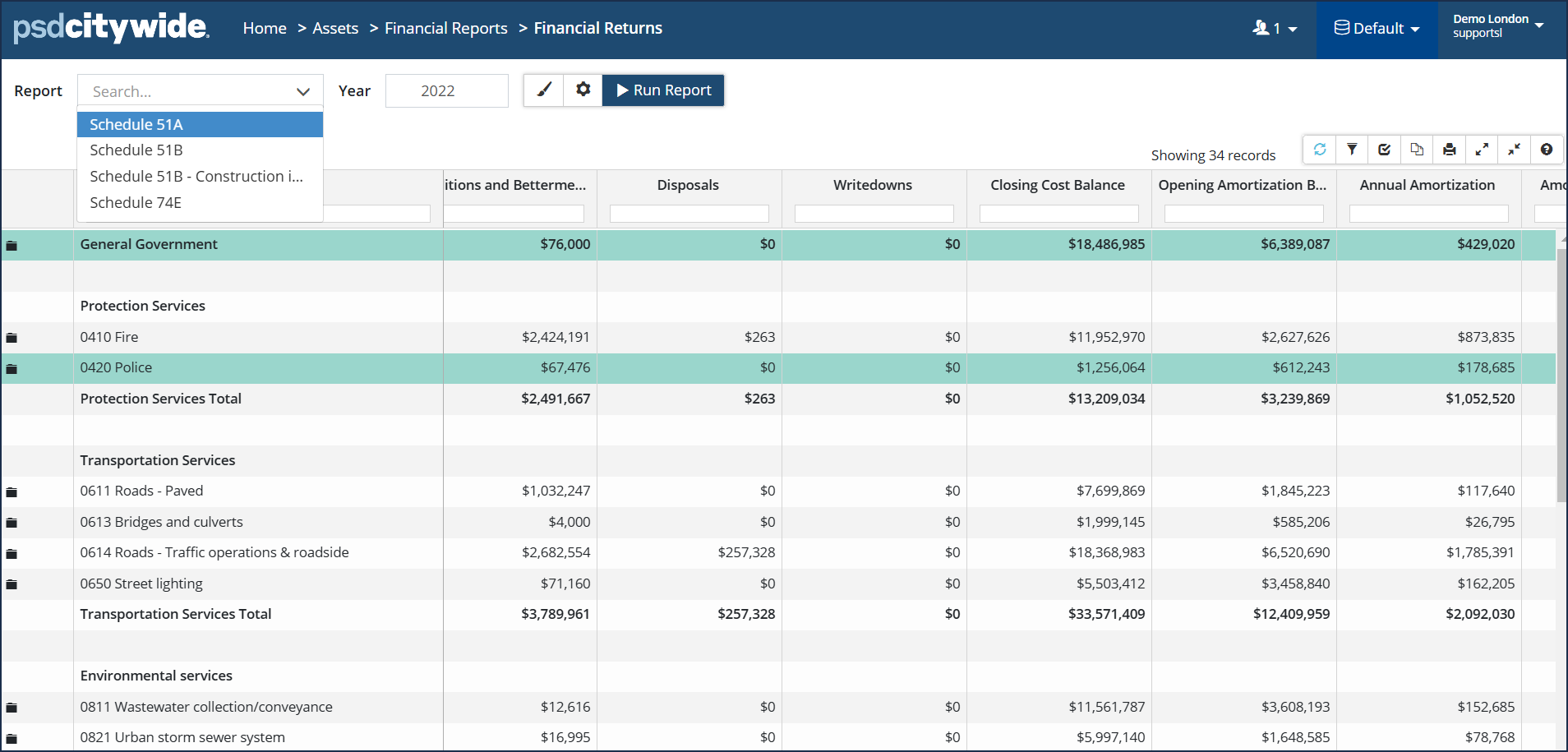
Schedule 51A: Reports on Tangible Capital Assets providing analysis by Functional Class (i.e., Health Services, Protection Services, Transportation Services, etc.). Assets must be assigned the appropriate Function and Sub-Function classifications for this report to generate accurately. (Note: Any assets with an ARO disposal will be included in these reports.) |
 |
|
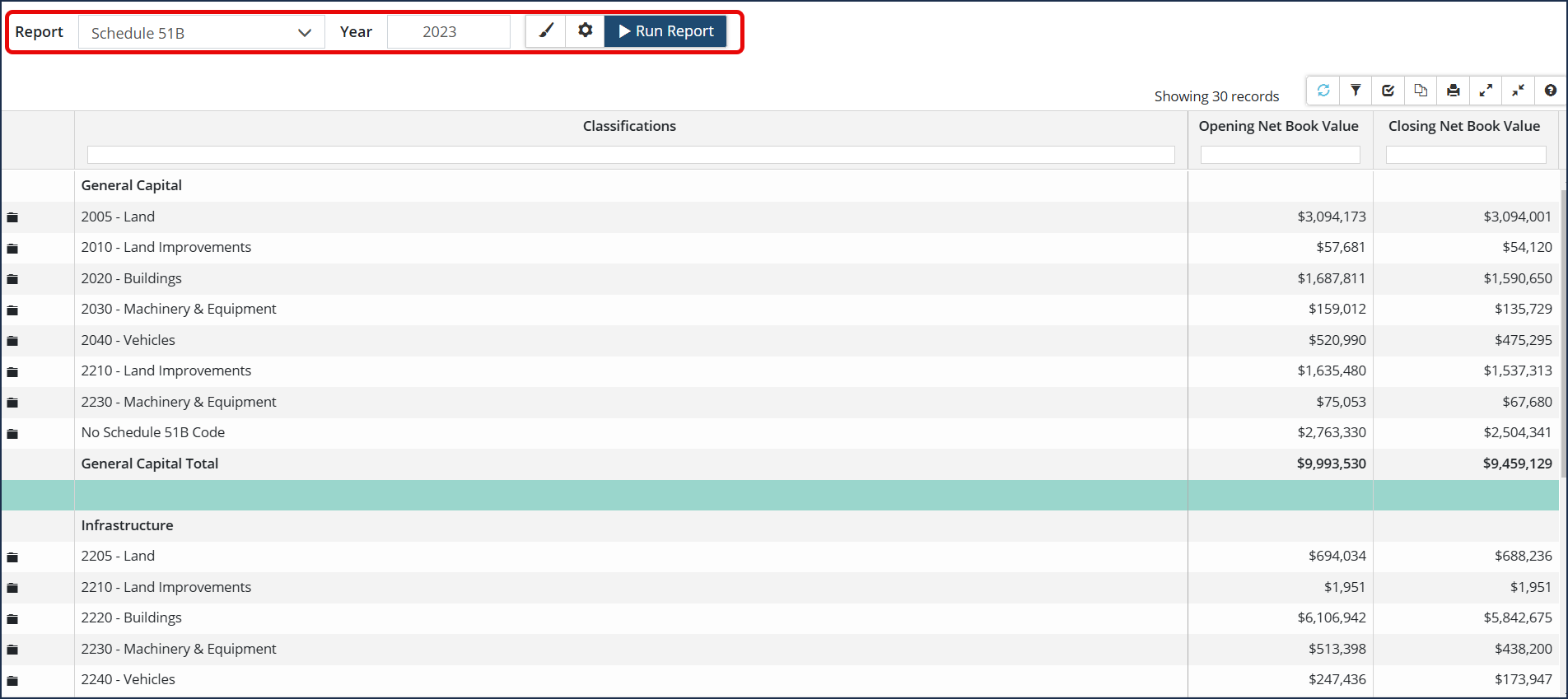
Schedule 51B: Reports on Tangible Capital Assets and segmented by Asset Class (i.e., Infrastructure, General Capital, etc.). Assets must be assigned the appropriate Class and Schedule 51 B Code classifications for this report to generate accurately. (Note: Any assets with an ARO disposal will be included in these reports.) |
 |
|
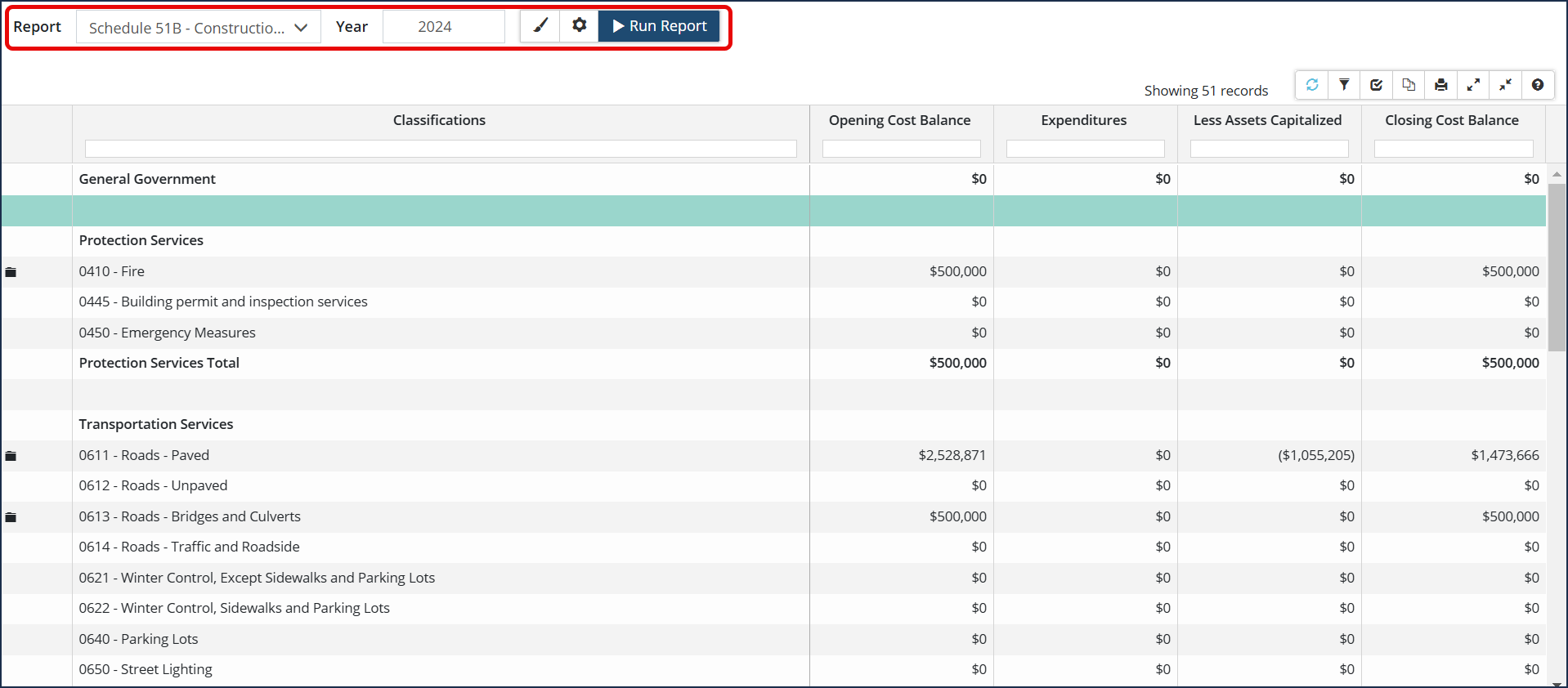
Schedule 51B - Construction in Progress (formerly 51C): Reports on Tangible Capital Assets that are a Work in Progress (WIP) segmented by Functional Class (i.e., Health Services, Protection Services, Transportation Services, etc.). WIP Assets must be assigned the appropriate Function and Sub-Function classifications for this report to generate accurately. |
 |
Schedule 74E Report
Schedule 74E is a new report in Citywide that captures the asset retirement obligation liability details.
The Schedule 74E report will not run for 2022 or earlier.
- Liabilities for ARO at Beginning of Year column for 2024 onwards will be equal to the ARO accretion opening balance.
- Liability Incurred During the Year will only display a value if the asset has an in-service-date of 2023, and an ARO effective date of 2023 (or blank), and has an ARO cost estimate.
- In 2024 onwards, any new assets with AROs (or old assets with newly added AROs) will be reported as a Liability Incurred During the Year.
Some details required in 74E are not calculated in Citywide, and therefore may need some manual input when the report is exported to Excel. These include:
- Column 2: Transfer of Solid Waste Landfill Liability
- Column 6: Increase (Decrease) Reflecting Change in the Estimate Liability
To Run a Financial Returns Report
- Click Financial Reports 🡆 Financial Returns.

- Click the Report drop-down and select a report type.
- Enter a Year.
- Click
 to adjust the # of decimal places or
  to modify report settings.
 - Click Run Report.


