ARO Status

Nov 19, 2024
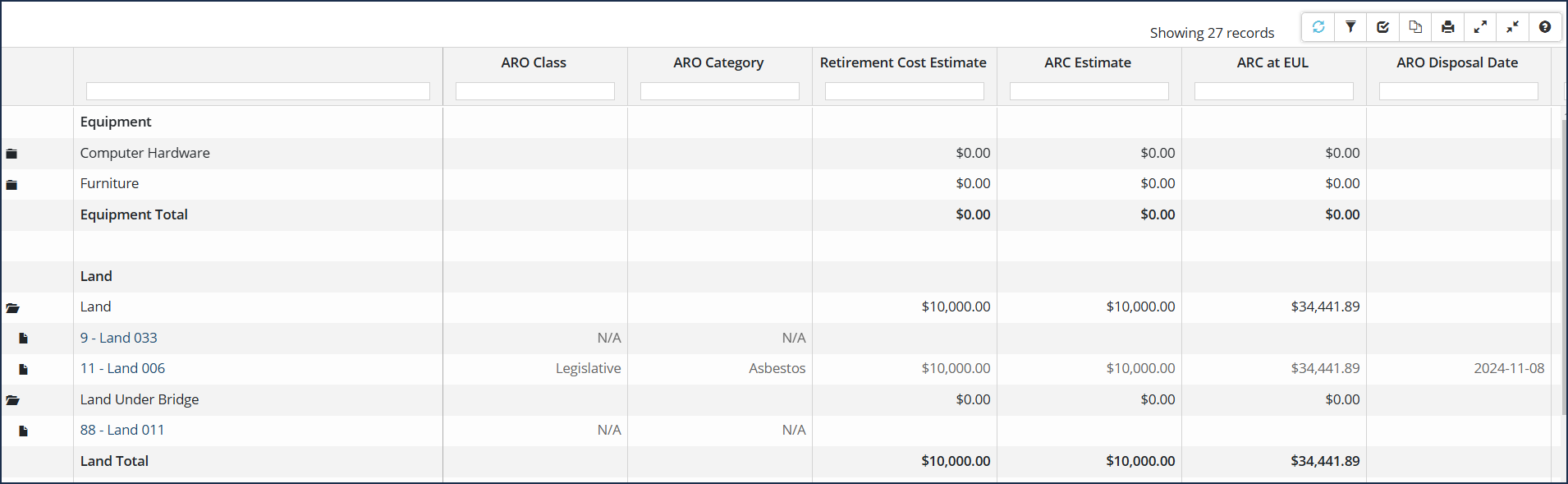
This report will provide the ARO status (i.e., Reviewed, Identified, Not Identified, Valuation Pending, or Not Reviewed) of assets in your inventory. (Note: that any assets with ARO disposals will also be included in this report).
For a comprehensive overview or working with Asset Reports in general, see Working with Citywide Asset Reports: A Comprehensive Overview. For information on completing Asset Retirement Obligations (ARO) in Citywide, refer to the article Complete an ARO.
To run the ARO Status report
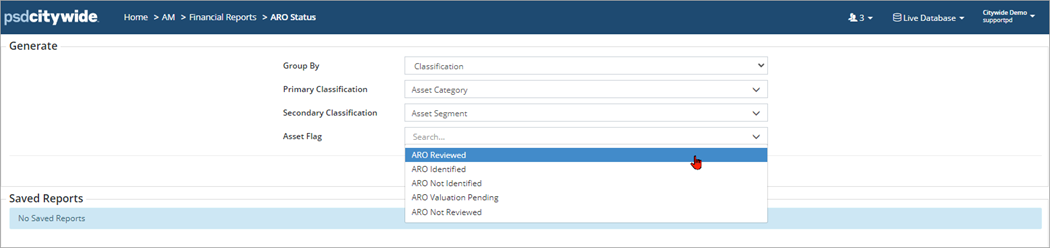
- Navigate to Home > Assets > Financial Reports > ARO Status
- Select your report filter drop downs: 'Classification(s) or Profile' and 'Asset Flag'
- Click Run Report
- On the next screen, select any additional filter criteria (ie. specific category/segments)

- Click Run Report