Lifecycle Deficiency reports are used to report on event costs weighed against replacement cost. The report summarizes lifecycle events of assets, calculating a total event cost, and then compares the event costs to the asset’s replacement cost to produce a deficiency rating for the reporting year. The deficiency rating is calculated as total event costs divided by replacement cost, and displays as a percentage.
Total event costs include asset replacement events only when backlogged. This report can be used when considering whether it is more cost effective to replace the asset or continue with the lifecycle strategy. There are four lifecycle Deficiency reports available.
|
Report Type |
|
|
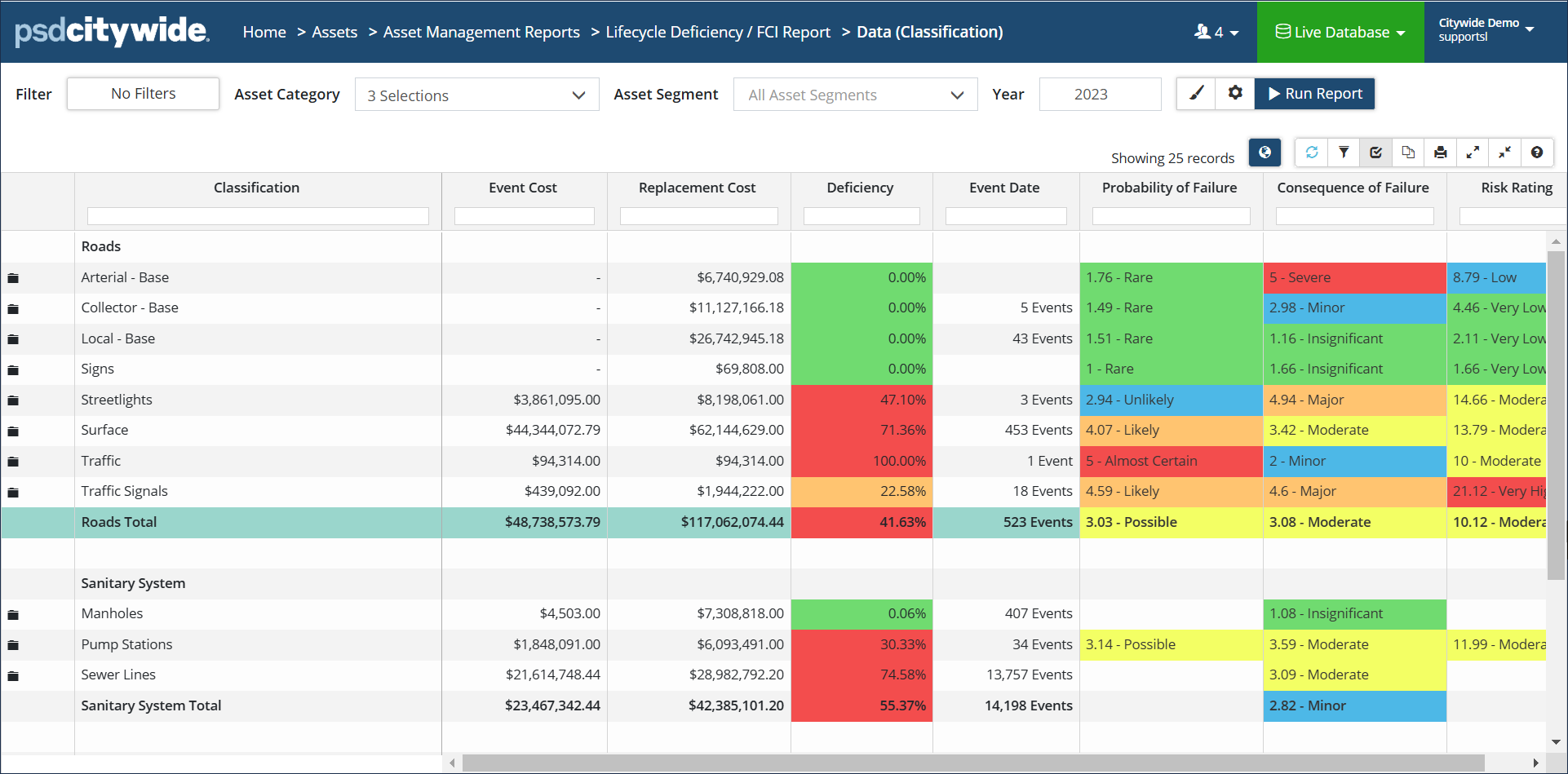
Lifecycle Deficiency/FCI: Generates a data view report showing a deficiency rating of assets grouped by Profile or Classification. The output includes a cumulative total and shows Condition and Risk information. Lifecycle events calculated in the total cost include events scheduled up to and including the reporting year. Replacement events will only be included if backlogged. Click Modify Report settings to change the Strategy Method or filter Lifecycle Events by Funding Source or by Lifecycle Event Class and/or Type. |
 |
|
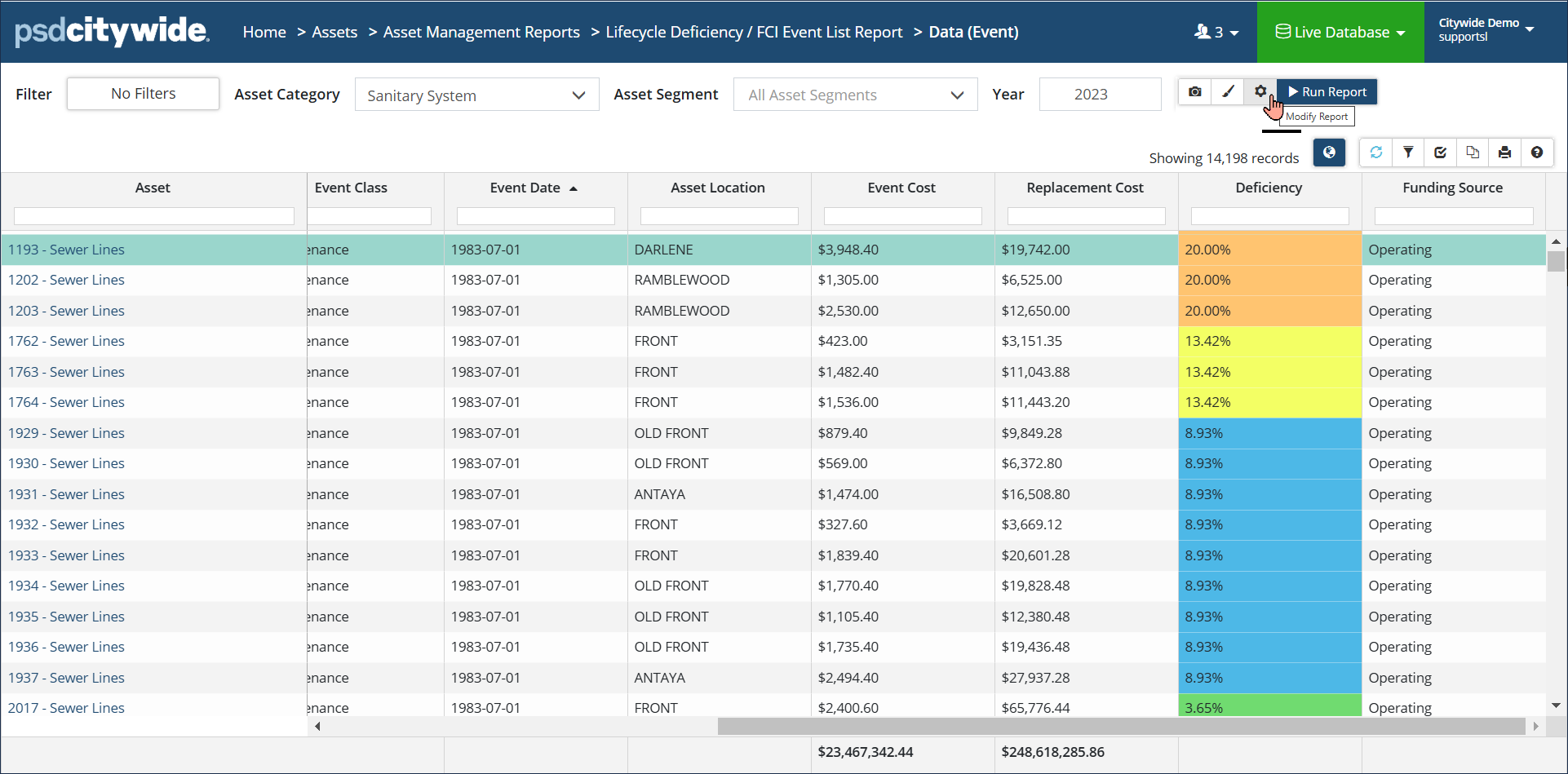
Lifecycle Deficiency/FCI Event List: Generates a non-aggregated list view showing the deficiency rating of assets grouped by Classification. The output includes the asset Profile as well as event details such as Name, Date, Cost, and more. Click Modify Report settings to change the Strategy Method or filter Lifecycle Events by Funding Source or by Lifecycle Event Class and/or Type. |
 |
|
Lifecycle Deficiency/FCI Matrix: Summarizes the deficiency rating of assets using a 5-tiered colour coded range. Asset Count, Quantity and Cost are also summarized. |
 |
|
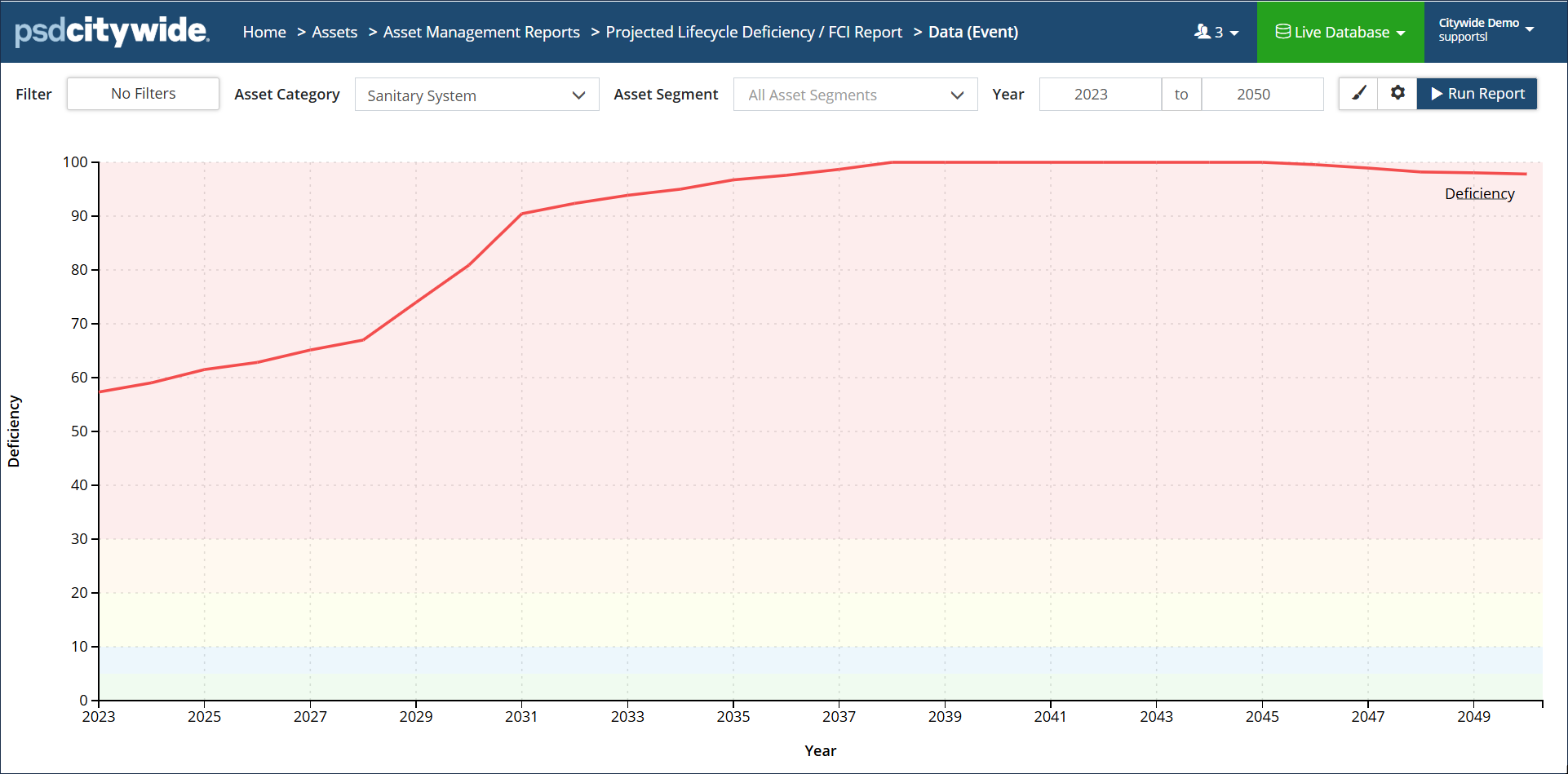
Projected Lifecycle Deficiency/FCI: Generates a line graph report showing how the deficiency rating changes over a range of years based on the current lifecycle strategy on the assets. The colour blocked background reflects the deficiency rating, ranging from very low (green) to very high (red). The chart line reports an average deficiency rating for the assets within the report’s scope. |
 |
FCI reports were designed for Facilities. The intent of the report is to show things that should have been done. The FCI calculation for a facility would be the replacement cost of the facility divided by the backlog or events that should have been done. For example, if there is a facility worth $1M and there is $500K of work that should have been completed can help municipalities and organizations make decisions on how to best allocate limited financial resources.
Deficiency Rating
The deficiency rating is calculated as asset event costs divided by replacement cost and is displayed as a percentage. Lifecycle events calculated in the total cost include all events scheduled up to and including the reporting year. Replacement events will also be included but only when backlogged.
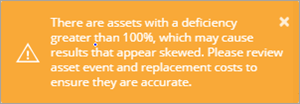
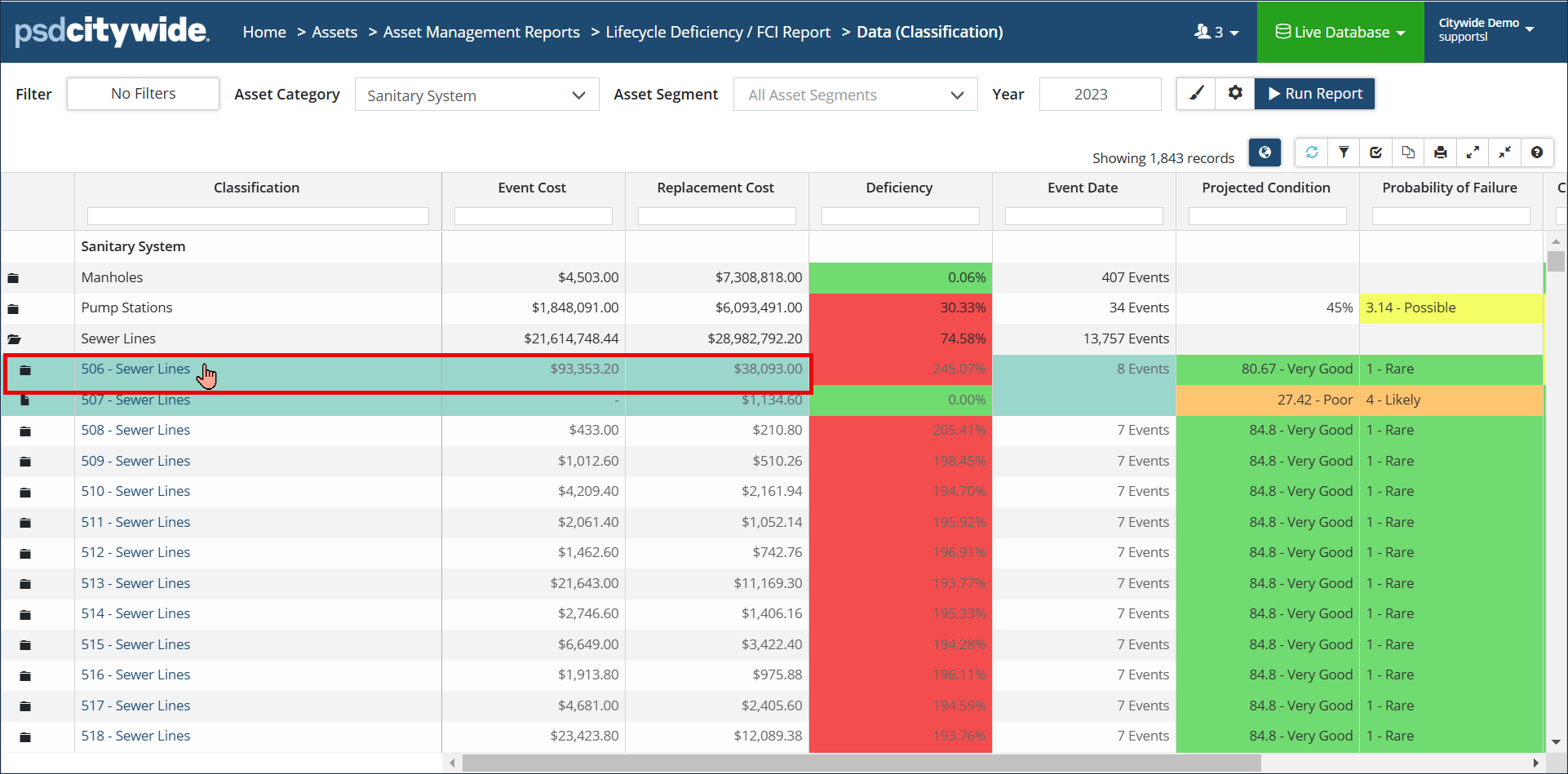
Once a report has been generated, if you’d like to review details for any asset contained within the report, for example if an asset is showing a deficiency rating greater than 100%, then you can drill down into the asset to review its events and replacement cost.
To drill down into an asset:
- Click a folder icon.
- Click the Asset ID and name.
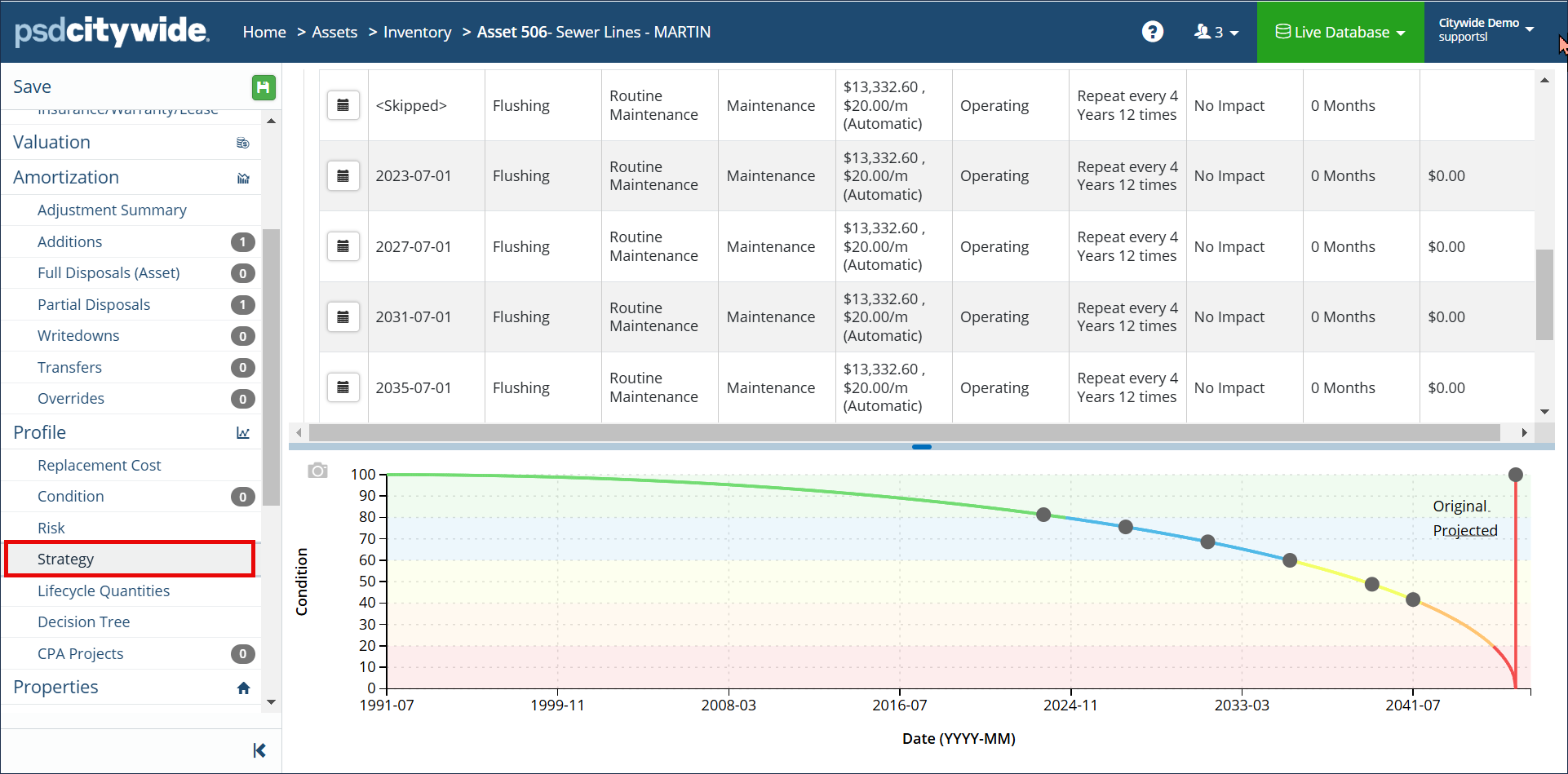
- In the asset view, click Strategy.