


Replacement Cost Report

Jan 26, 2026
Reports on the Replacement Cost, Event Cost, and/or Total Replacement Cost (replacement cost plus events) of assets for the reporting year.
Step 1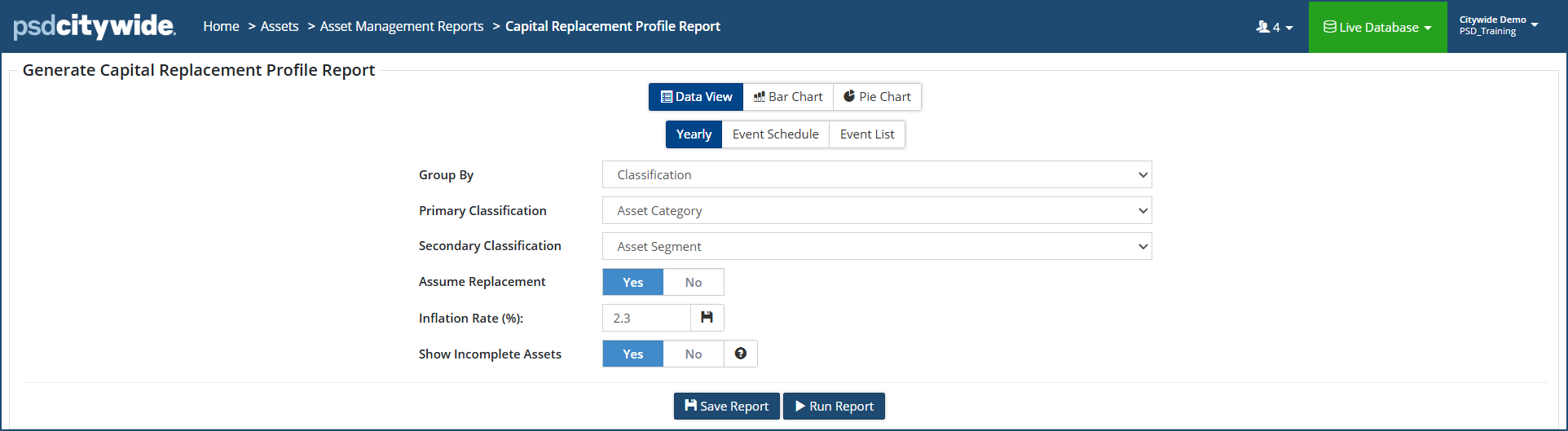
- Assume Replacement flag, when set to Yes, will assume a new iteration of the asset and apply the lifecycle strategy again until the end of the reporting timeframe.
- Inflation Rate (%) applies an inflation rate to event costs year after year. Click
 to save the inflation rate as a default for future iterations of this report.
 - Incomplete Assets includes assets that are missing an in-service date, replacement cost and/or estimated useful life in the report.
Step 2
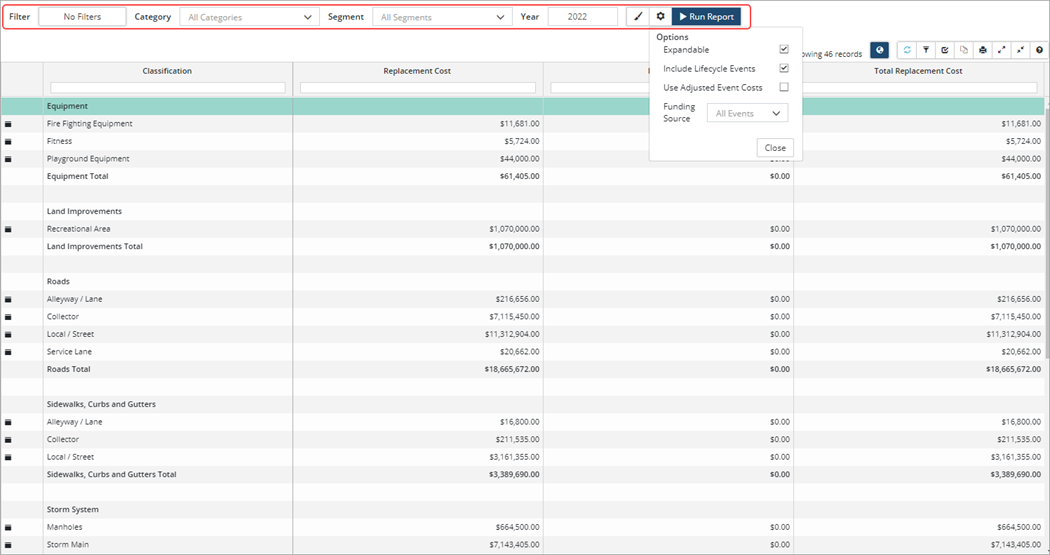
Once the report has been generated click Modify report settings to change report options. To generate a report showing only Replacement Cost, uncheck Include Lifecycle Events and then click Run Report.


