


Replacement Cost Report

Feb 25, 2025
Reports on the Replacement Cost, Event Cost, and/or Total Replacement Cost (replacement cost plus events) of assets for the reporting year.
Step 1
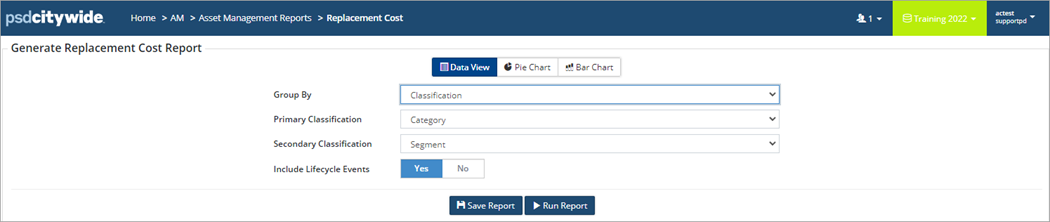
For a comprehensive overview or working with Asset Reports in general, see Working with Citywide Asset Reports: A Comprehensive Overview. For an overview of Asset Management Reports, see Financial Reports (An Overview).
Step 2
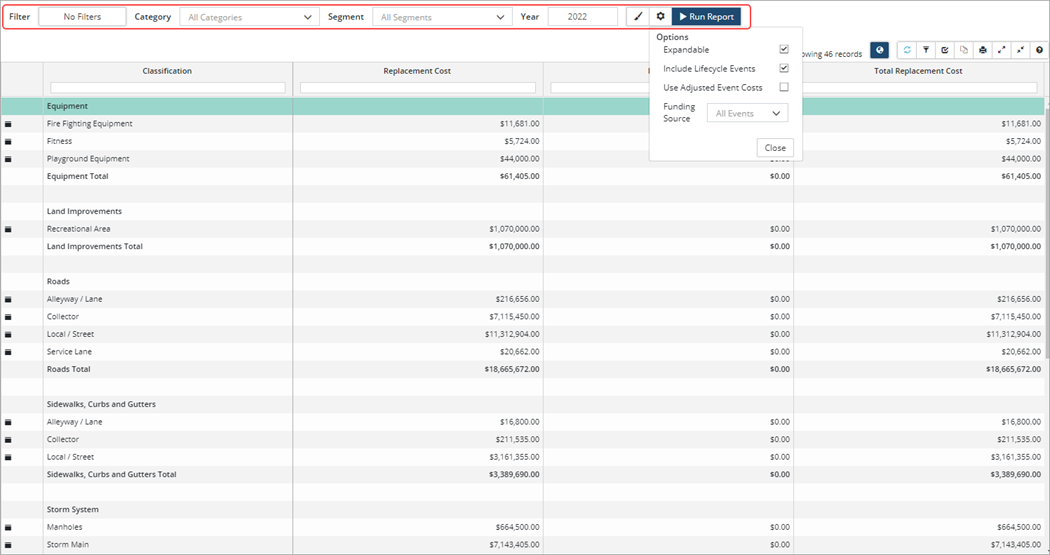
Once the report has been generated click Modify report settings to change report options. To generate a report showing only Replacement Cost, uncheck Include Lifecycle Events and then click Run Report.


