


This report can be used as part of a data gap analysis on the Inventory list. It provides a summary of Amortization Methods, Estimated Useful Lives, Units of Measure in use, and shows Missing Data (e.g., number of assets that are missing a Historical Cost). If something looks out of place, drill down into the asset to verify or edit the data.
Run a Financial Exceptions Report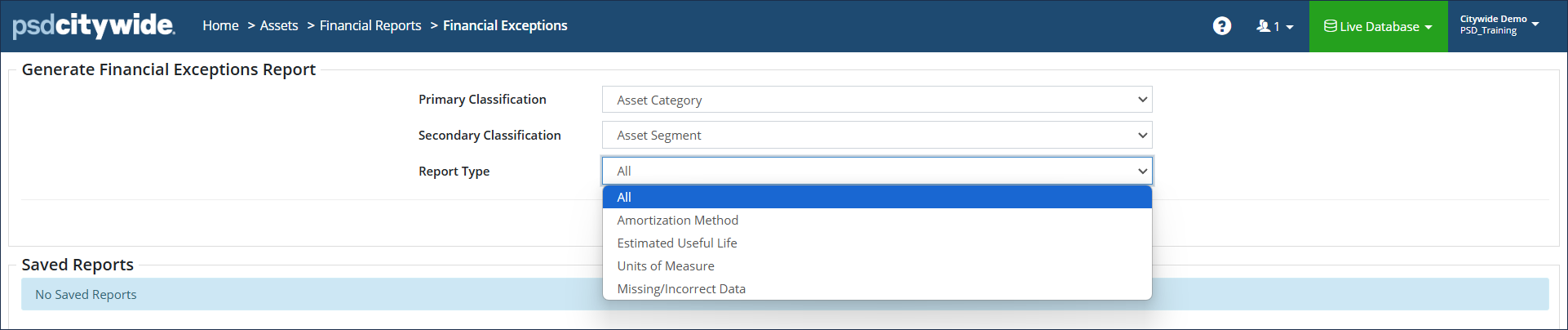
Report Types include:
- Amortization Method – summarizes how Inventory assets are being amortized
- Estimated Useful Life – lists the EUL values and total number of assets for each
- Units of Measure – lists units of measure and total number of assets for each
- Missing/Incorrect Data – searches across several asset fields and returns a total for missing/mismatched data for each field
- All – summarizes all the above types in a single report
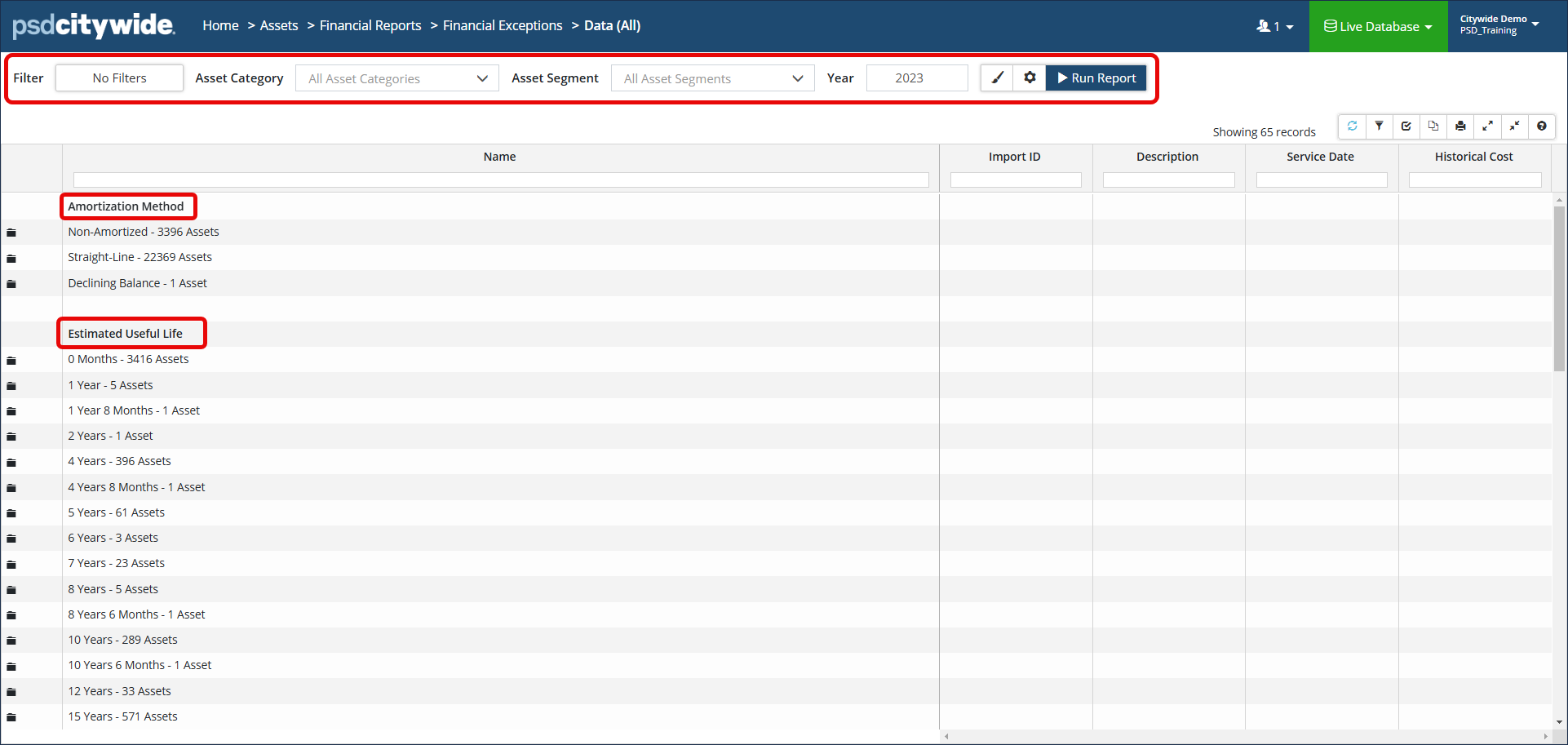
How to use this report:
Review each section, looking for unusual entries. For example, an asset with a 2-month EUL might require a little scrutiny. Click  to expand the segment and drill down to the asset level. The Asset ID field is linked, allowing you to navigate to the asset view and make any adjustments.
- Navigate to the Valuation menu screen to update Historical Cost, In-Service Date, Estimated Useful Life, and Unit of Measure.
- Navigate to the Amortization screen to adjust the Amortization Method.
If a Year-End Lock has been applied, the Valuation and Amortization information will be read-only. Temporarily disable the year-end lock to make any necessary changes. Please note that changes to Valuation and Amortization will apply retroactive changes to the TCA values, and is not always advisable.


