


Overview
Geographic Information Systems Viewer (GIS Viewer), a tool built into Citywide and accessible from multiple modules and sub-modules, connects data to maps, drawing a connection between location and the types of things that are found at the mapped locations. These include the customary items that pertain to most all municipalities, such as water hydrants, storm basins, etc., all of which appear in the Layers ❶ panel of the GIS Viewer and all of which can be mapped to the GIS map. The location of Citywide geolocated licences can also be represented on the GIS map, and those same locations can be selected to view licencing information. Finally, the GIS map can be used to locate a property and then create a new licence for that property. (See GIS Viewer for a full discussion on the features and uses of the GIS Viewer.)
Working with Permit Data
Mapping Permitted Properties
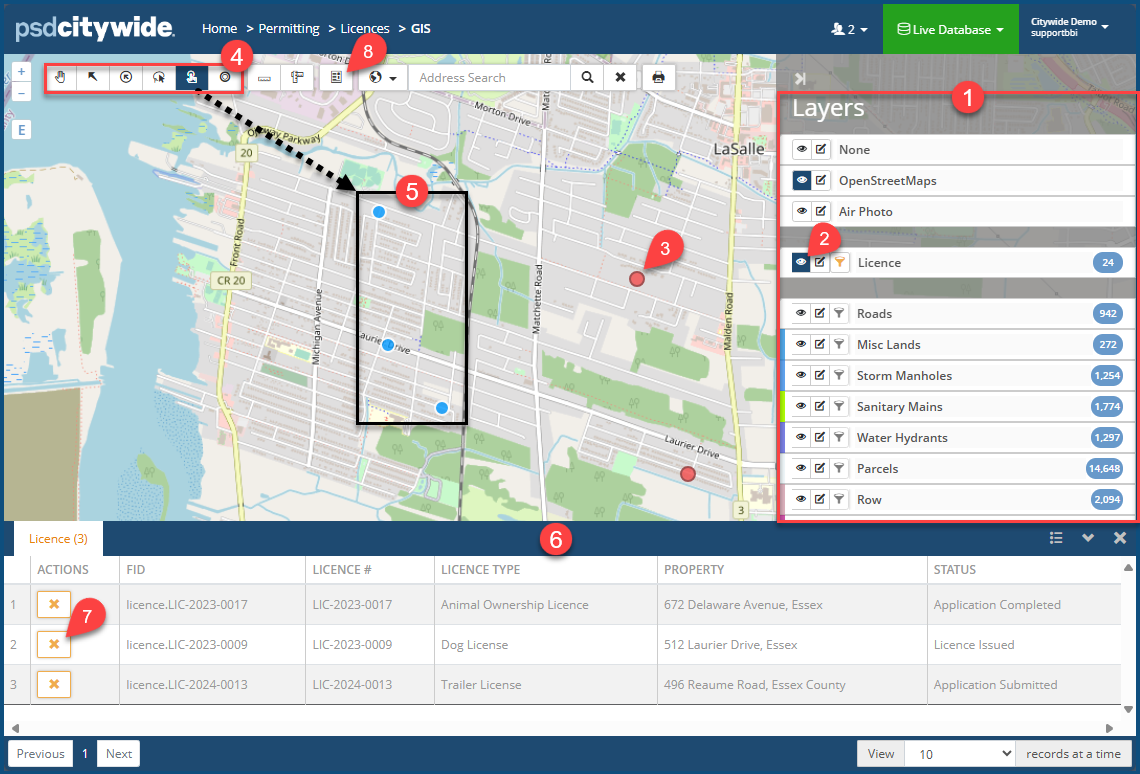
Licenced properties will be pinpointed on the map only after their visibility has been enabled by clicking on the Layer 🢡 Licence 🢡 Visibility icon  ❷. The location of all the licenced properties appear with red dots ❸.
Viewing Permitting Data
To view permit data associated with a select property or group of properties:
- Click on the Selection tool ❹ you wish to use. (See GIS Viewer concerning each).
- Use the selection tool to select the licenced properties. (In the above screenshot, the Box Select tool was used to select three properties ❺ whose dots are now blue.) The Licence table ❻ containing data for the selected properties appears, showing three licences for the three properties.
- Click on
 ❼ to remove a permit from the table.
Create a New Other Licence
A new Permit record can be created by selecting a property from the map.
- Locate the property on the map. It may be helpful for this purpose to enable Parcels visibility ❶.
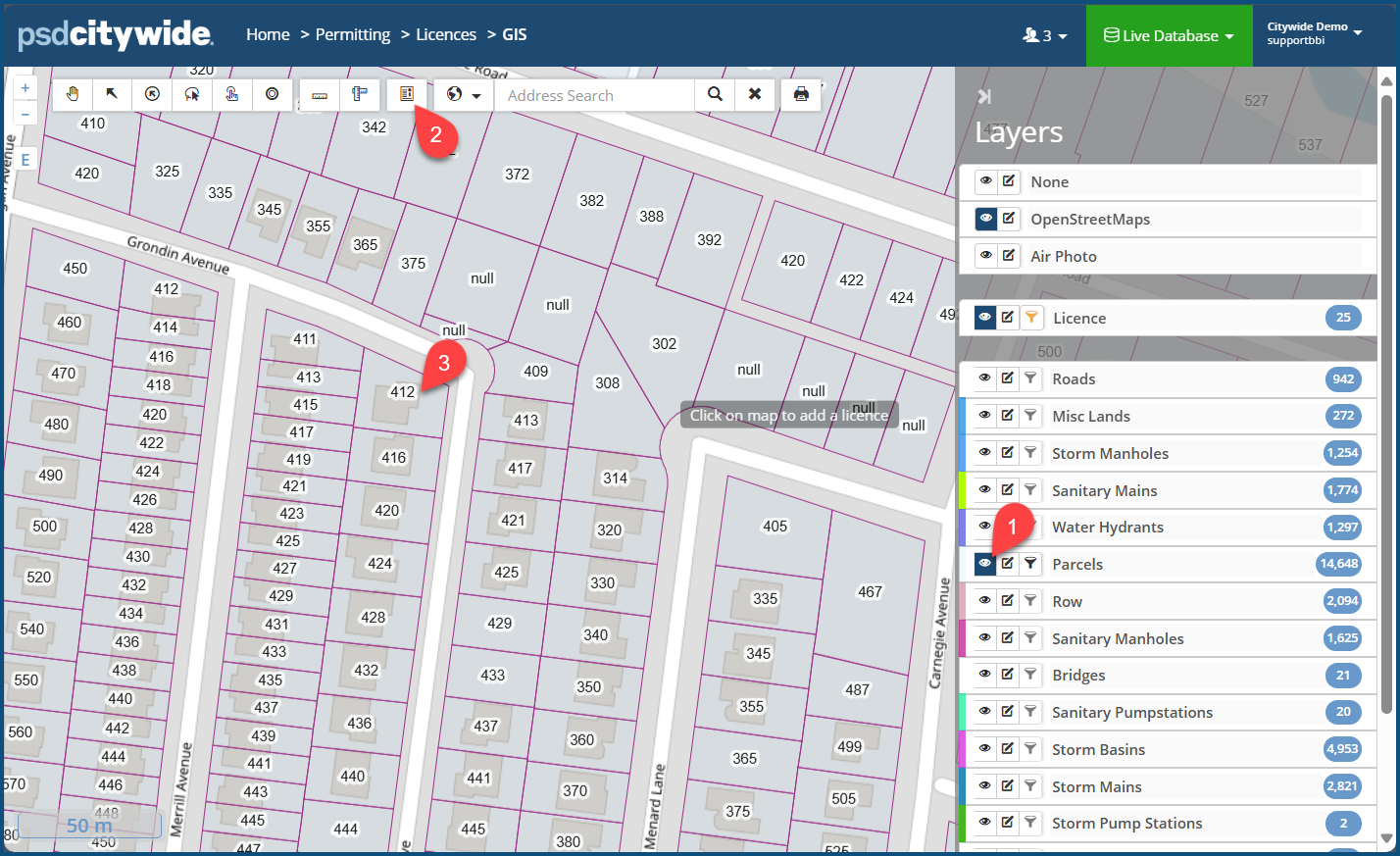
- Click on the Add Licence icon
 ❷.
❷. - Click on the Property parcel address ❸. The Add Licence wizard appears:
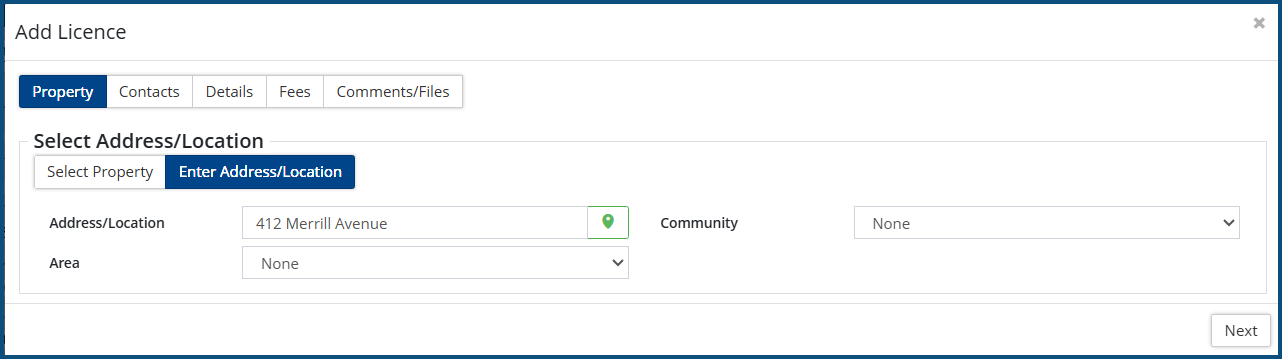
- Complete all the required information across all the tabs in the wizard. Click here for further instructions.


