


Overview
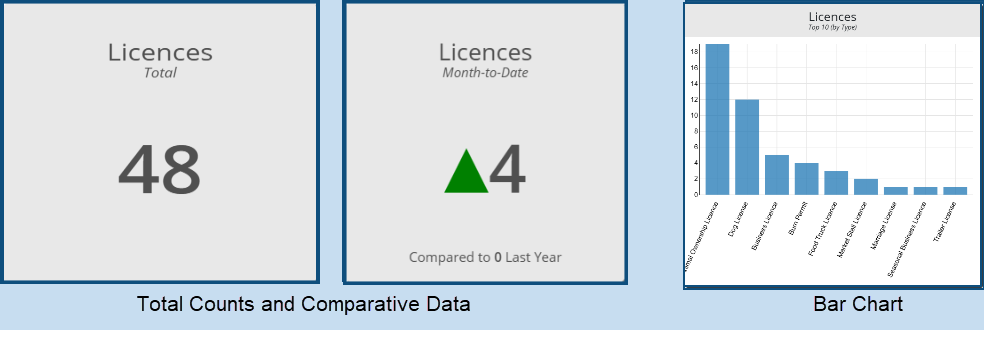
The Licences Dashboard provides information on the status of all licences across a number of metrics. It appears in tiles (some of which display total counts - e.g. the total number of licences, and other which display comparative information - e.g. Licences YTD vs. last year) and in charts (e.g. Top Ten Licences by Licence Type):
Viewing Data Details
Clicking on any one of the tiles will produce the Licences grid filtered down to the status reported in the tile. For example, clicking on the above Licences Approved tile opens the following screen: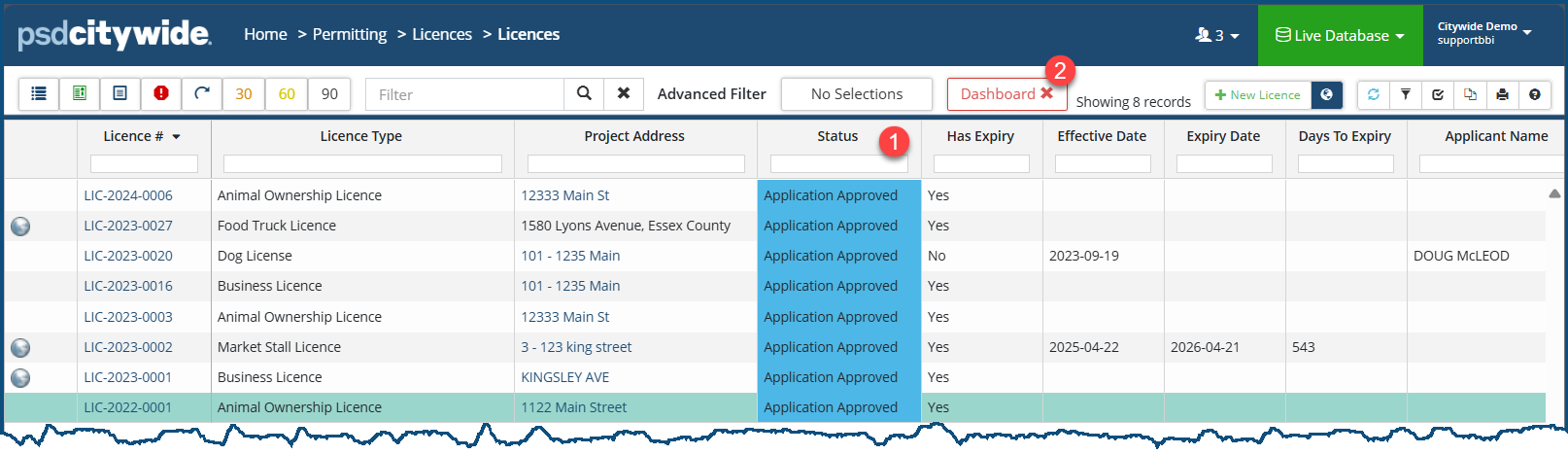
The Status column ❶ displays the licences' status, and the grid as a whole shows that it is filtered on the basis of the Dashboard X ❷, showing 26 records.
Dashboard Options
Customize Dashboard - allows you to select the fields and parameters that will be used to generate the Dashboard data. To do so: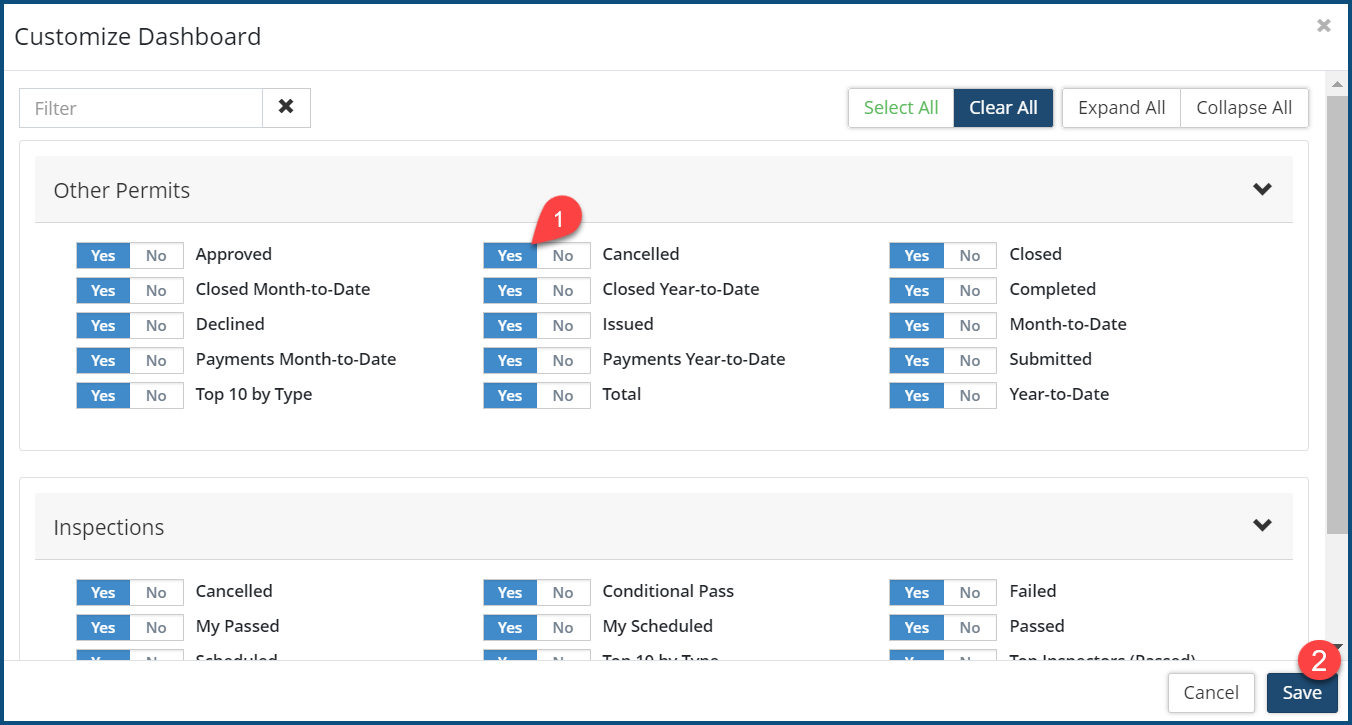
Set the desired parameters to Yes ❶.
Click Save ❶.
Refresh - used to refresh data that may be outdated. Since Dashboard data is not automatically updated, any changes made in the background (e.g. the status of unapproved permits being approved) would only appear in a refreshed dashboard.
Print - used to print the current dashboard to a PDF file or a device.


