The System Administration module contains two main work areas: Settings and Permissions
Permissions
Permissions allow Citywide Budgeting objects (e.g. Modules, Reports) and Segments (e.g. cost centre or account) to be secured in multiple contexts: by User or by Role.
For example, a cost centre might have a security context related to who can modify its description, as well as another context related to who may edit or view data associated with the cost centre.
Permission attributes may be defined at a Role level and the Role assigned to an individual User to provide the necessary level of access.
A User’s security is derived through a combination of the Role assigned and additional security settings at the user level.
Admin Role
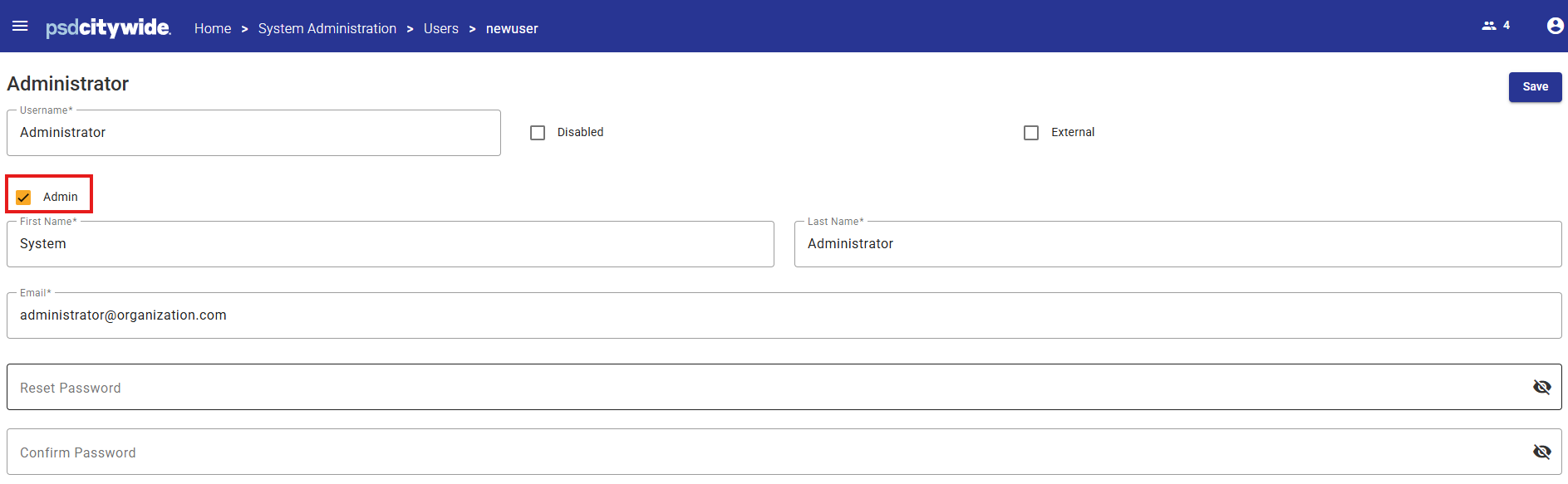
In order to add or change Permission settings for other Users, the User must be assigned a major role of Admin in the User profile settings.
This is how the User should be configured:
Permission Controls
Each Role created has a set of Permission Controls for each security context for each object type.
When individual objects are not secured within the role, the default value (all access) for the object type will be used to supply the permission value.
Permission Control Values

| Enabled | When selected, access to the module is enabled for users assigned to the role |
| View | The object may be viewed, but not modified in any way |
| Create | Any operation except deletion may be performed |
| Edit | The object may be modified, but not deleted, nor can a new object be created |
| Delete | The object may be deleted |
Additional Permission Controls
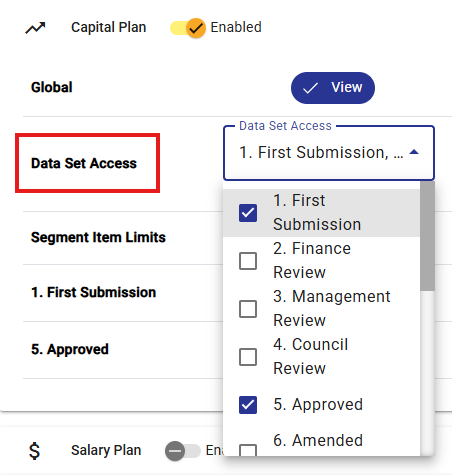
Dataset Access
A Role can be given access to some, none or all Datasets in Citywide Budgeting by selecting the checkbox next to each Dataset for each module.
Permission Controls are specific to each Module and can be different between modules.
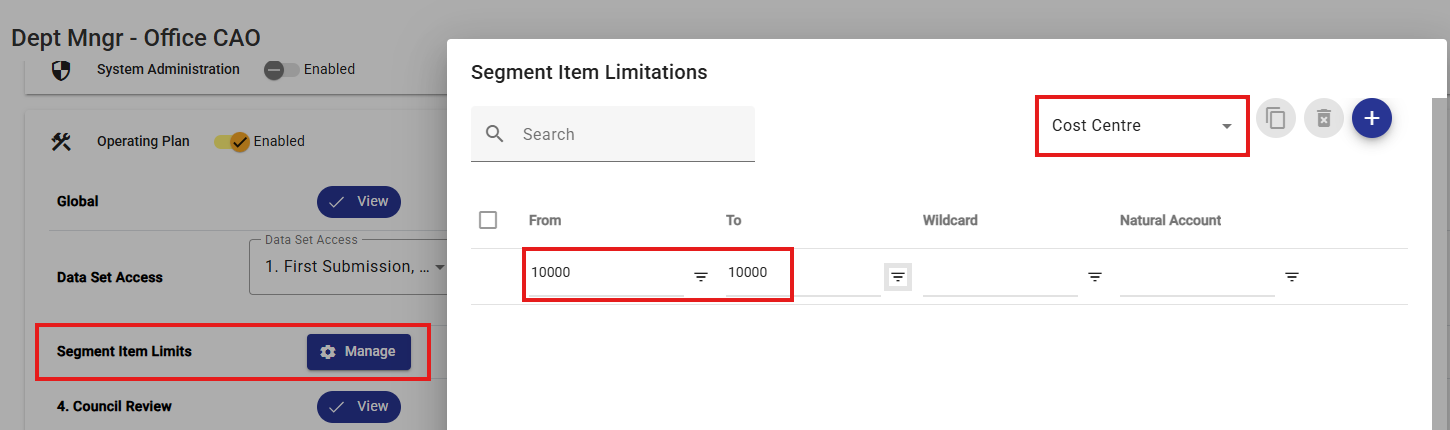
Segment Item Limits
A Role can be given access to some, none or all Segments in Citywide Budgeting by creating Segment Item Limits in each module.
Segment Item Limits are specific to each Module and can be different between modules.
Multiple limits can be added refine the Permissions profile for the Role.