

System Administration - Permissions - Users

Last updated: Sep 11, 2026
This article explains how to set up Users in the System Administration - Users modules.
In Users area, new users may be created or attributes already associated with any User may be changed. Users may also be deactivated from this area.
Note that the user list is a standalone list maintained in Citywide Budgeting, and has no relationship to any other internal or external platform, such as Citywide Assets and/or the user's ERP.
Single Sign On (SSO) options are not currently available for Citywide Budgeting.
User Attributes
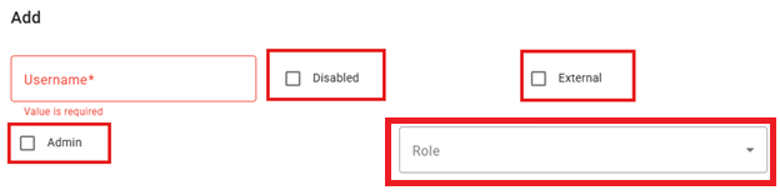
| User Name | This is a unique ID that the user will use when logging into the system. It is not case-sensitive. |
| Disabled | Each user is active by default. To disable the user’s account, select this checkbox. When Disabled, the user will no longer be able to log on. However all records, such as security records, associated with the user will remain. |
| External | Each user is internal by default. To identify an External user (such as a User set up with the API credentials), select this checkbox. |
| Admin | The Admin setting identifies an overarching system permissions role creating a System Administrator. A user must be assigned the major role of Admin in order to create, modify and delete Permissions settings in Citywide Budgeting. |
| Role |
A Role should be used when a User should have limited access to the Citywide Budgeting including access to Model Administration, Planning Module, or even specific Segments.
This list of Roles and their respective configuration is set under System Administration > Roles. |
Adding a New User
Go to System Administration > Permissions > Users
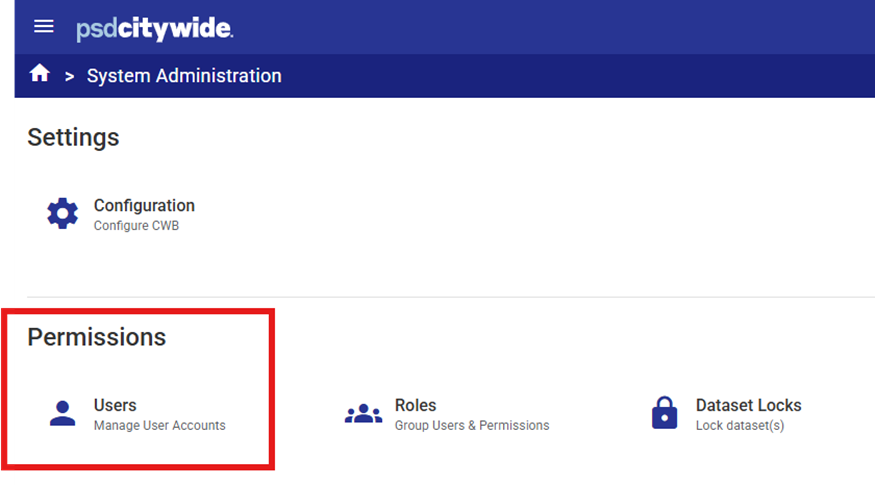
Click Add 
 to add a new user.

Complete the dialogue box.
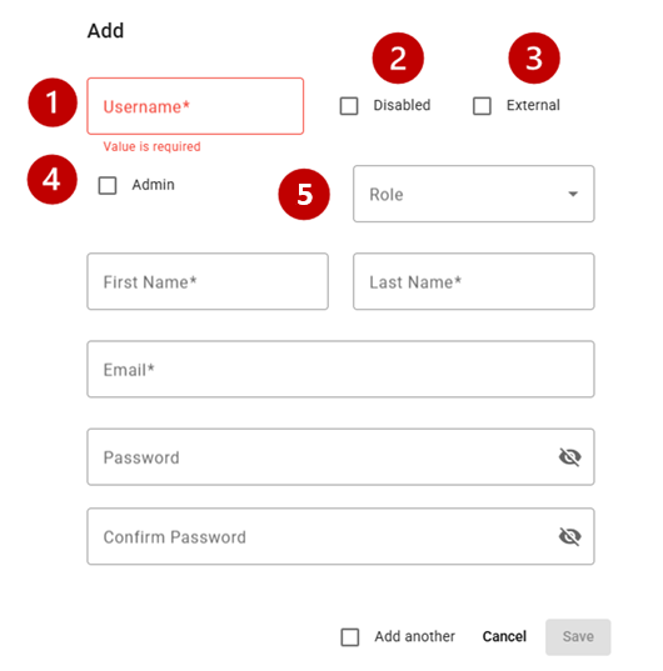
Dialogue Box Options:
- Username
 – must be unique and all one word (no spaces, hyphens etc.)
 - Disabled
 – do no select this checkbox.
 - External
 – select this checkbox if the User is a third-party user (external to the municipality and to PSD Citywide) or for use with the API login credentials.
 - Admin
 – select this checkbox if the User is a System Administrator.
 - Role
 - To select a Role a user must not have the major role Admin selected.
Related Article: System Administration - Permissions - User/Role Relationships


