


Attributes
Attributes are account segments and additional characteristics that can be related to the COA Class Key Segments to facilitate reporting, permissions and view/worksheet functionality.
Attributes that are account segments related to the COA Class Key are called Key Segments (e.g. Fund, Object, Cost Centre, or Activity).
Attributes that are also segments of the COA Class Key must be flagged as Include in Key Segments on the Attribute | Details Tab, in the Options group.

Throughout this user guide, Attributes flagged as Include in Key Segments will be referred to as Key Segments.
Attribute Details
The properties of an Attribute are configured on the Details Tab.
Each property is described below.
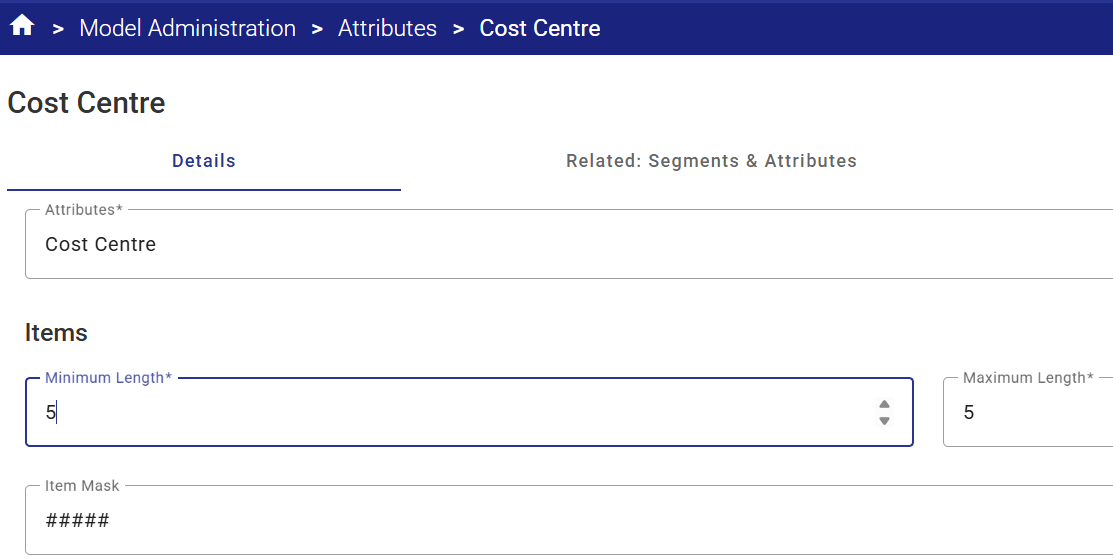
| Attribute Name | A description of the Attribute, up to 250 characters in length. |
| Minimum Length |
The minimum number of characters that an item may contain is 1. Typically, the minimum and maximum are set to the same length to establish a static field length.
For Key Segments (e.g. Fund, Object, Cost Centre, Activity etc.) this is typically set to the same length to establish a static field length. For example, if the Attribute is Cost Centre, and the items are 5 digits long (e.g. 10100) , then Minimum Length would be set to 5. |
| Maximum Length |
The maximum number of characters that an item may contain is 40.
For Key Segments (e.g. Fund, Object, Cost Centre, Activity etc.) this is typically set to the same length to establish a static field length. For example, if the Attribute is Cost Centre, and the items are 5 digits long (e.g. 10100) , then Maximum Length would be set to 5. |
| Item Mask |
A mask may be imposed on an Attribute item, to automatically insert and display separators, and to impose rules as to what type of character is allowable for each position of the element item value.
For example, if a mask is #####, only numeric values with a length of 5 numbers would be valid. This mask would prevent alpha characters from being used in error.
|
| Notes are Year specific | Each Attribute Item may have an explanatory text note attached to it. This checkbox determines whether a unique note for each year may be maintained for an Item, or whether a note is common across all years. |
| Notes are Dataset specific |
This checkbox determines whether a unique explanatory text note for each Dataset may be maintained for an Attribute, or whether the note is common across all Datasets. |
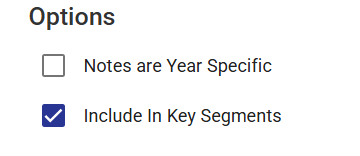
| Include in Key Segments |
Attributes that are account segments related to the COA Class Key are called Key Segments (e.g. Fund, Object, Cost Centre, or Activity).
To identify these special Attributes, check the Include in Key Segments checkbox.
Items flagged as Key Segments will be available for account mapping throughout the Citywide Budgeting application.
|
Related: Segments & Attributes
This functionality is used by the Citywide Budgeting system to create and maintain reporting relationships between the COA Class Key, Key Segments and other Attributes.
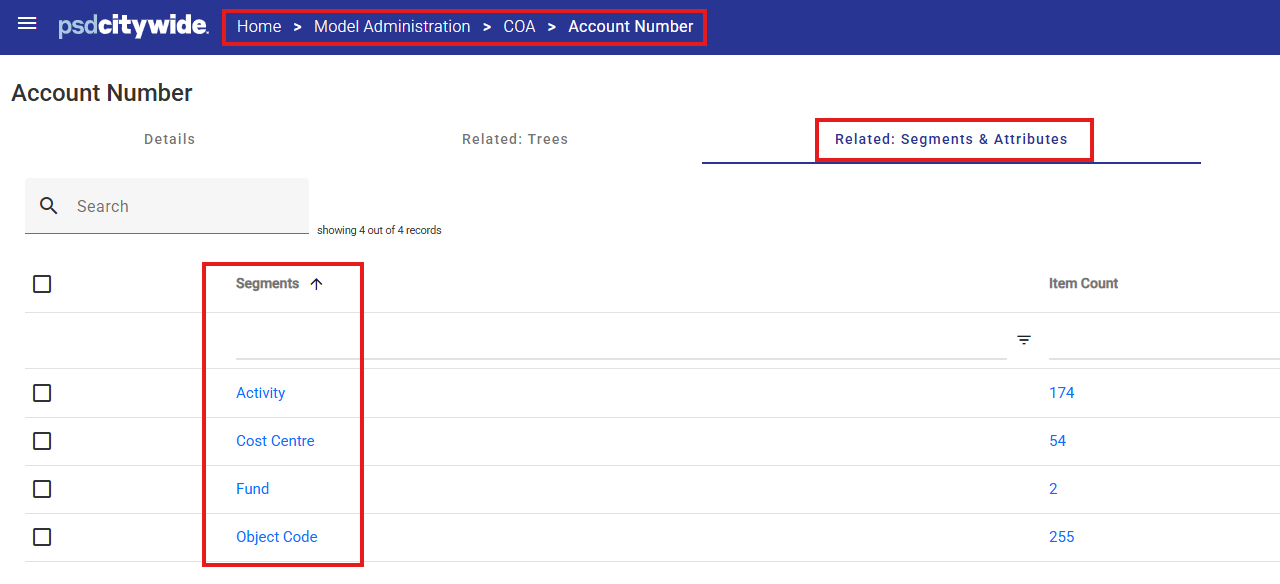
Typical segment relationships include:

The COA Class Key segment must always be related to all of the Key Segments that form the COA Class Key Segment items (i.e. the full general ledger account string).
Other Segment relationships may be added to facilitate relationship-based reporting.
For example, a user-defined Attribute may be created and related to the Capital Project Key Segment (or equivalent) and used in the Capital Project Summary Template for detailed project-level reporting (for example, to produce a list of all Capital Projects by Cost Centre or to identify a capital project's by Project Type).
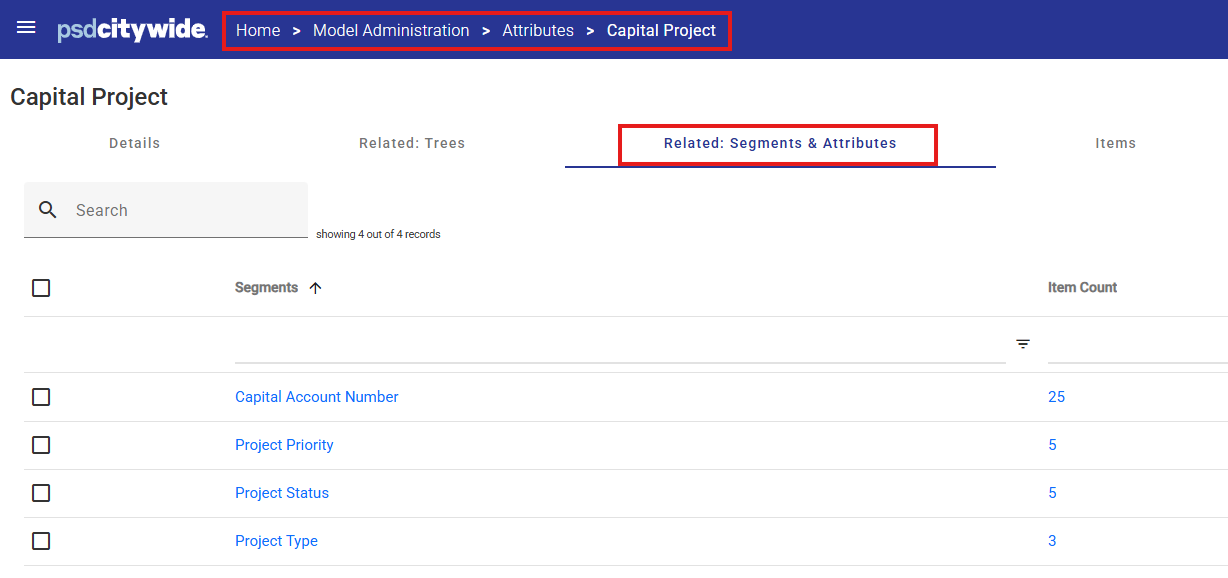
Note that manually created segment relationships require manual update and maintenance by the System Administrator.
Missing or incorrect relationships may result in incomplete data appearing in Views and Reports.
Related: Trees
This functionality is used by the Citywide Budgeting system to create and maintain reporting relationships between the Attribute and Trees.
Users should not manually create these relationships in this area. Generally, Tree maintenance should be done in Model Administration > Trees.
An exception is for Capital Projects in the Capital Plan module. Relationships between capital projects and reporting Trees can be easily maintained by the Capital Plan users as they add and modify their capital project information on the Capital Project Summary Template.
Manually created Tree relationships require ongoing monitoring and maintenance by the System Administrator as any missing relationships may result in incomplete data appearing in Views and Reports.
Items
Each Attribute contains a list of items (for example a Cost Centre Attribute contains all the Cost Centre items).
- The Items list can be maintained manually or imported via an interface with a source system.
- There is no limit to the number of Attribute Items that can be created within Citywide Budgeting.
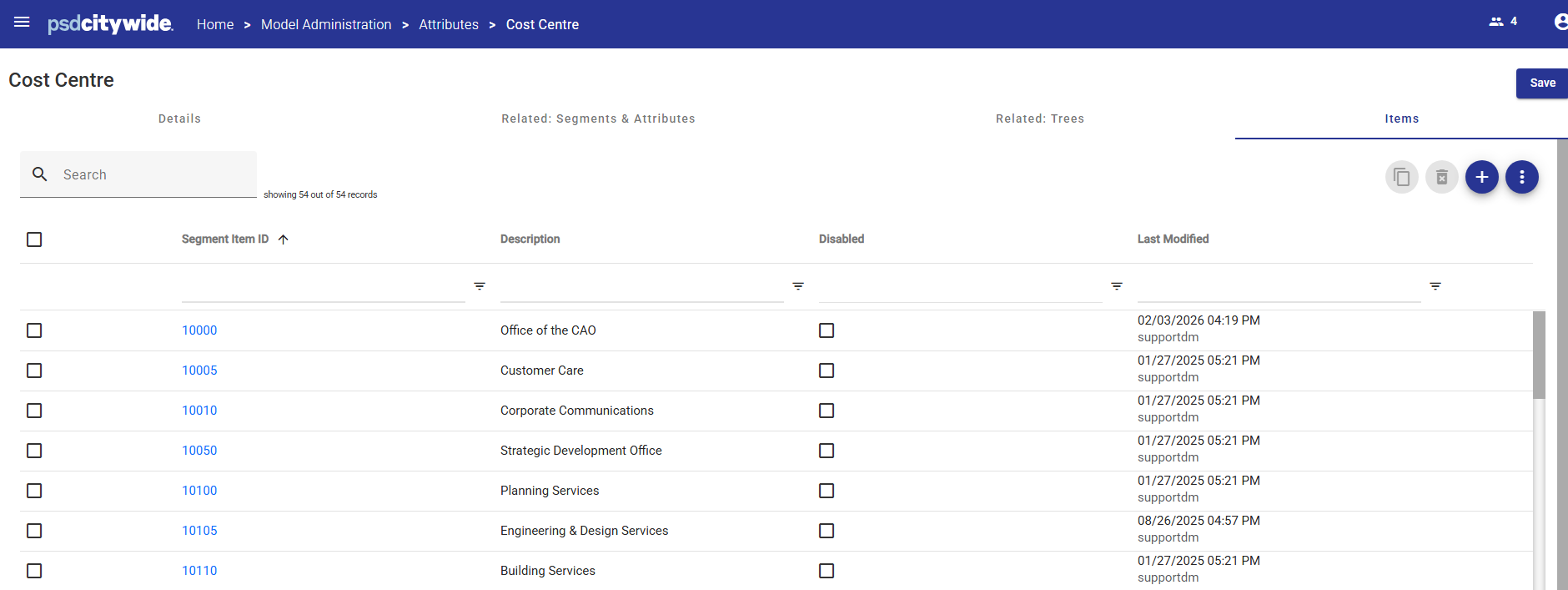
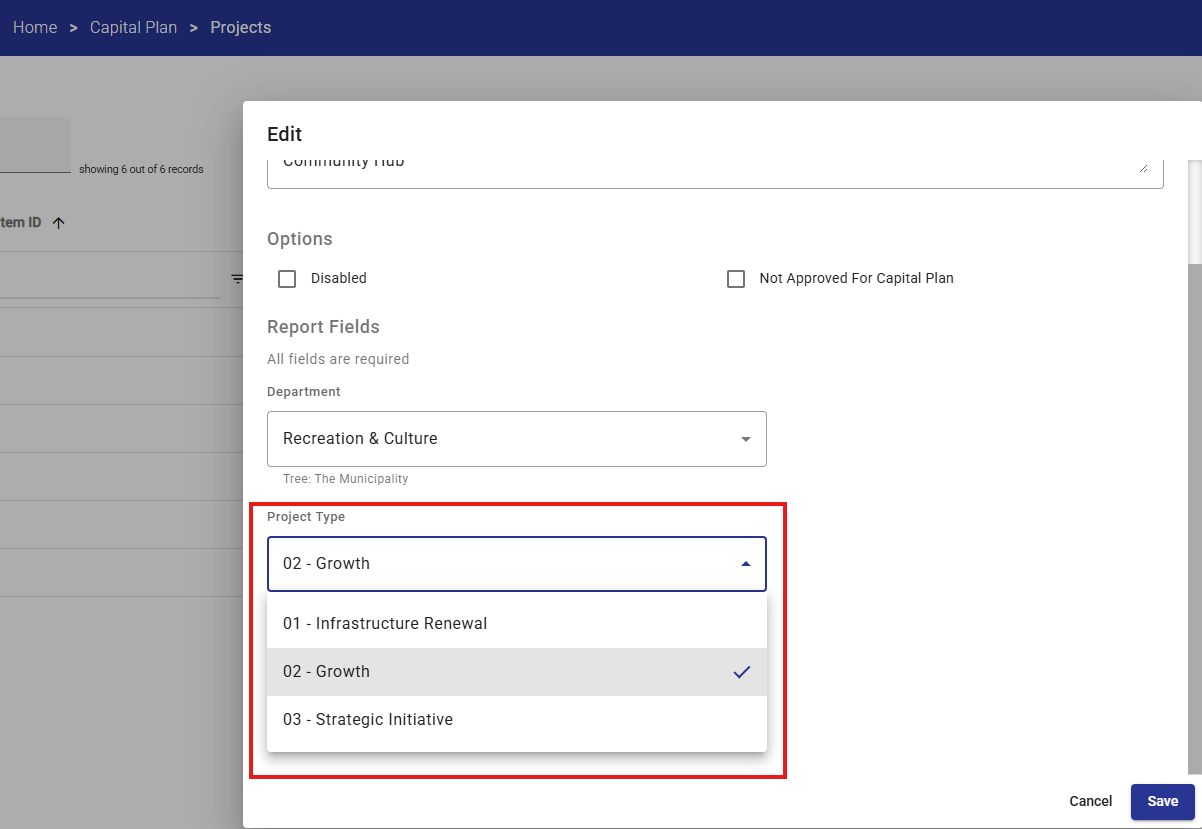
The Items listed will appear in selection drop-down lists throughout the application wherever the Attribute is referenced:
- In a budget entry view, the user may be presented with a list of Fund, Cost Centre or Object items to filter their budget data
- When adding a new capital project the user may be presented with a list of Project Types to select from.
Item Properties
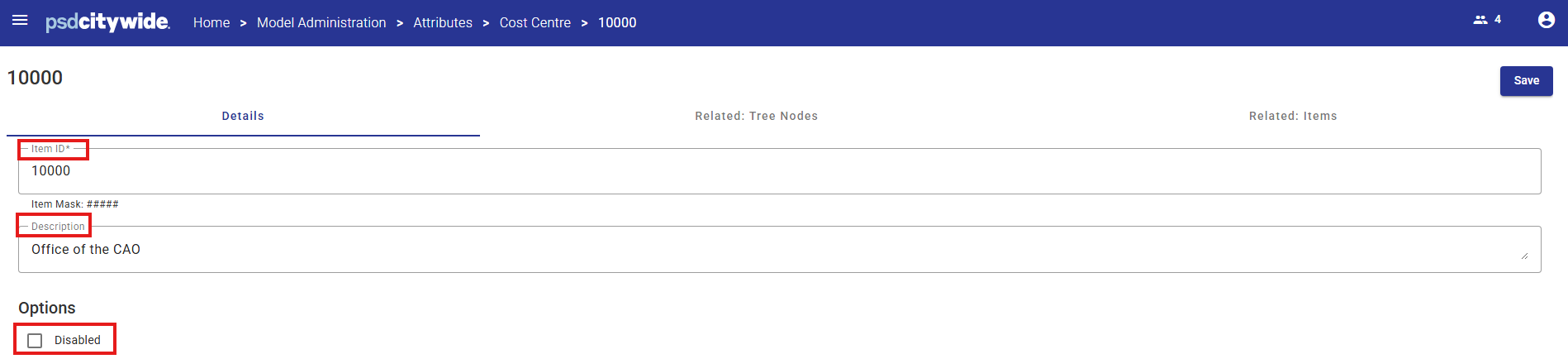
Each Item has properties, such as the Attribute Item ID and a Description, which uniquely identify the item.
Item properties are user-defined fields that can be added and updated by the System Administrator.
Disabled Items
Attribute Items can be flagged as Disabled by checking the Disabled checkbox.
If an Attribute Item is Disabled then no further data input will be allowed against any Item, by any user, regardless of security settings.
Existing data that uses this Item will still appear in Views and Reports (view-only).


