


SP to OP Sync Operation
The SP to OP Sync Operation summarizes and transfers data from a Salary Plan Dataset and Year to the matching Operating Plan Dataset and Year.
Important Considerations
Depending on user permissions and View configurations, department users may be able to edit compensation or benefit amounts directly in the Operating Plan, even if the data was originally posted from Salary Plan.
The Audit History in Operating Plan will record these changes, but will not prevent them.
While direct edits in Operating Plan may be necessary in some cases, it is best practice to make all adjustments in the Salary Plan Module and sync the changes to Operating Plan.
If Salary Plan is not updated, future copy operations may use outdated data. This may result in inconsistencies and / or errors between Salary Plan and Operating Plan.
Recommended Controls
Administrators can implement controls to prevent discrepancies between Salary Plan and Operating Plan:
-
Configure budget entry Views to make compensation and benefit accounts read-only (this will force changes to be made in Salary Plan and synced with Operating Plan)
-
Apply Segment Limits to restrict access to compensation and benefit-related accounts (this will prevent users from making unauthorized changes to the salary and benefit budget amounts in Operating Plan)
Executing the Sync Operation
-
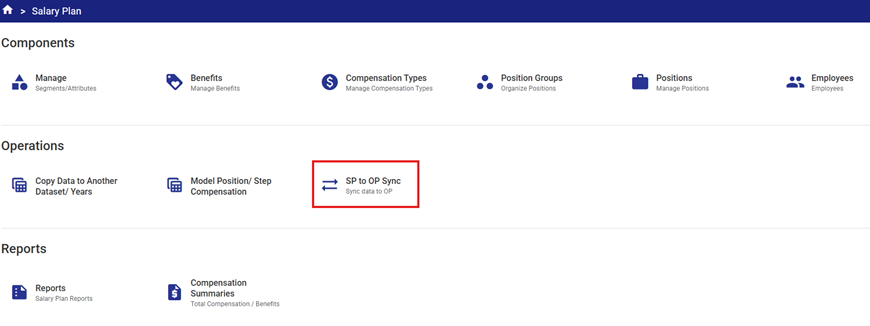
Open the SP to OP Sync Operation in the Salary Plan module.
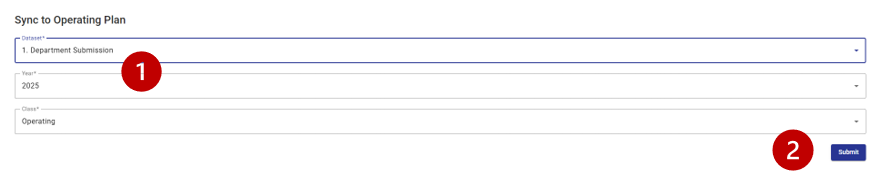
2. Select the Dataset and Year from the drop-down lists  .
.
-
The only Class currently supported for Sync is Operating.
3. Click Submit to run the Sync Operation .
.
Preview the Posting
Before running the SP to OP Sync a user can run the Standard Salary Plan Report to preview what is about to post. This report displays total compensation and total benefits that can be broken down in the following ways:
- Totals for individual Compensation Types
- Totals for individual Benefits Types
- Split Type(s) – the Operating Class Column(s)
- Any part of the Operating Plan COA Class Key Segment
- Position/Employee
Calculations During Posting
As a summary posting, budget amounts posted to the Operating Plan module reflect total compensation and benefits for a Department/Cost Center not individual totals per employee.
The SP to OP Sync will group up the compensation and benefit amounts into common Account Number (Operating COA Class Key.)
How to define the Operating COA Class Key
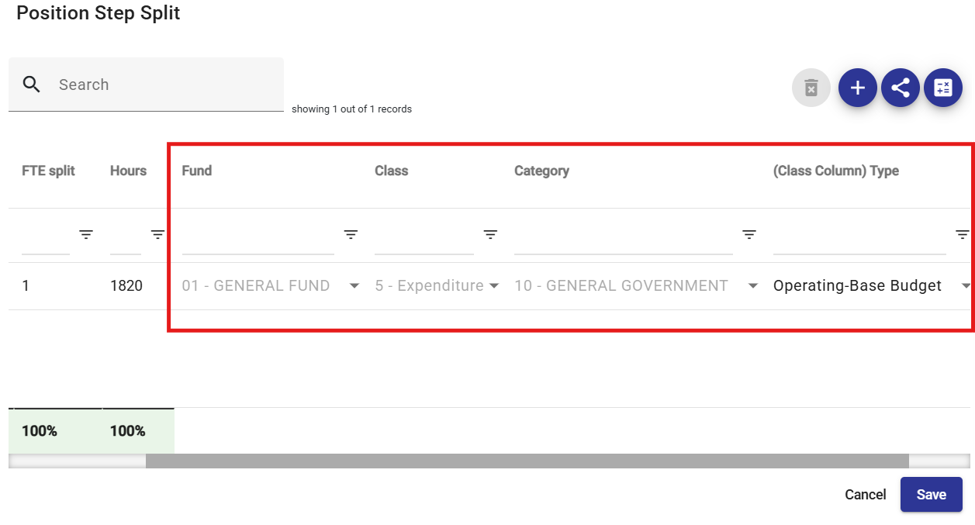
The first step is to get the Segments that are set on the Cost Allocation. The (Class Column) Type will tell us which Class Column will be updated with this amount.
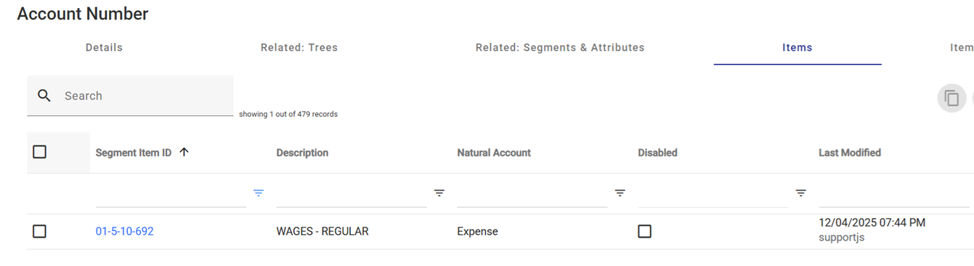
Plus getting the remaining Segment from the Compensation Type under the Related:Items or from the Benefits under the Related: Items.
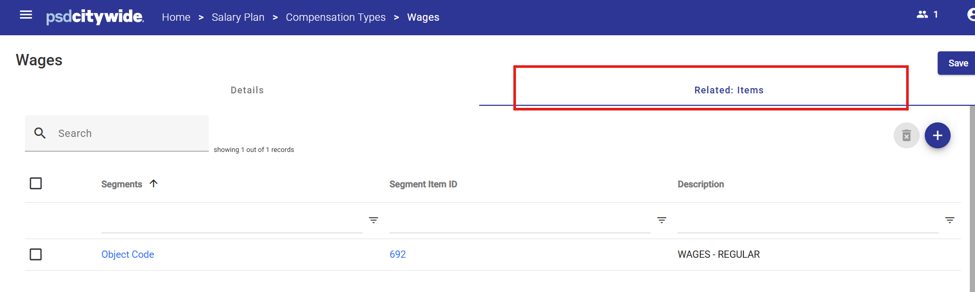
This combination will create the full Operating COA Class Key 01-5-10-692 that will update the Class Column called Base Budget.
Post-Sync Validation
After running the Sync Operation, it is recommended to validate the results:
-
Run reports in both the Salary Plan and Operating Plan modules
-
Compare results to confirm that the data has been transferred correctly


