


Capital Plan Components
Components in the Capital Plan define the core configuration of the application.
A Capital Project is built using two primary components:
- Project - Defines which Capital COA Class Key Segment is used to represent individual capital projects
- Group - Defines which Capital COA Class Key Segment is used to categorize expenditures and financing for capital plan reporting
Projects
The Capital Plan is built from individual capital projects, which are then grouped by Year, Segment and reporting Trees to form the organization's capital budget.
- Projects can be created and updated by users with appropriate system permissions
-
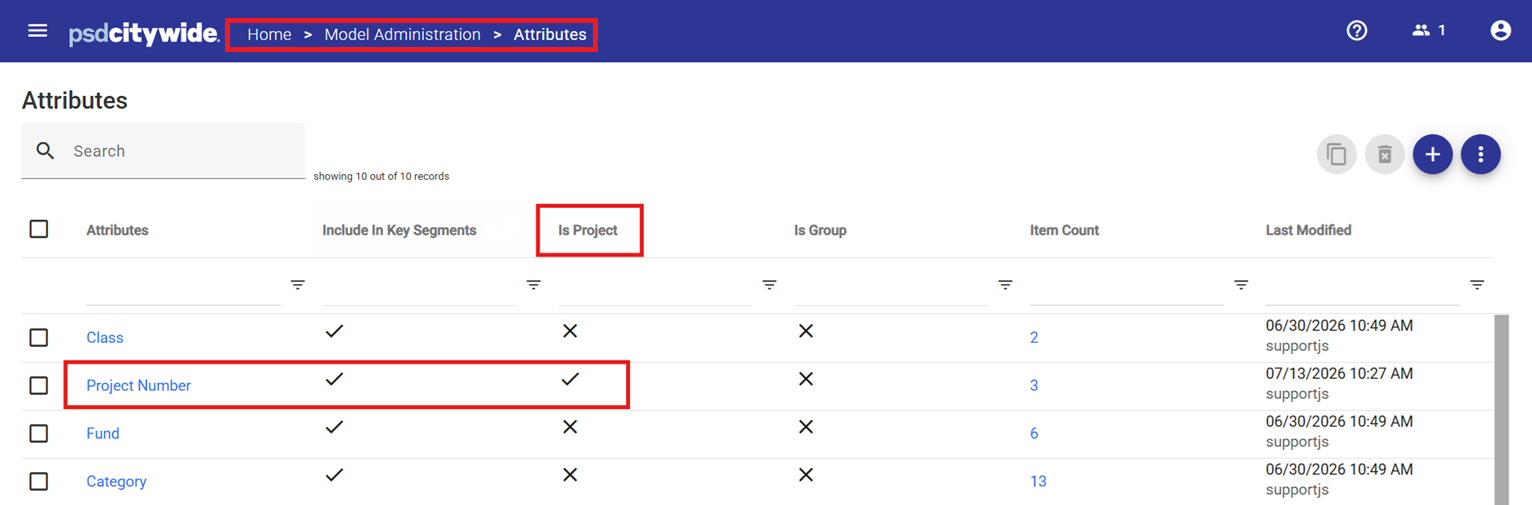
Existing projects can be imported into the Items list for the Project segment list (see Model Administration Attributes)
-
New projects are assigned system-generated project IDs using automatic numbering.
Segment Configuration
Depending on the organization’s ERP structure:
- A shared Segment may be used for both Operating and Capital (e.g., Activity = Project)
- A dedicated Capital Segment may be used exclusively for capital transactions
CWBC supports both approaches, as any Key Segment can be designated as the Project in Capital Plan. Projects are based on the Key Segment designated as 'Is Project' in the Capital Class configuration.
Groups
Groups are used in the standard Capital Plan reports and Project Summary Report to define how expenditure and financing budget data is summarized.
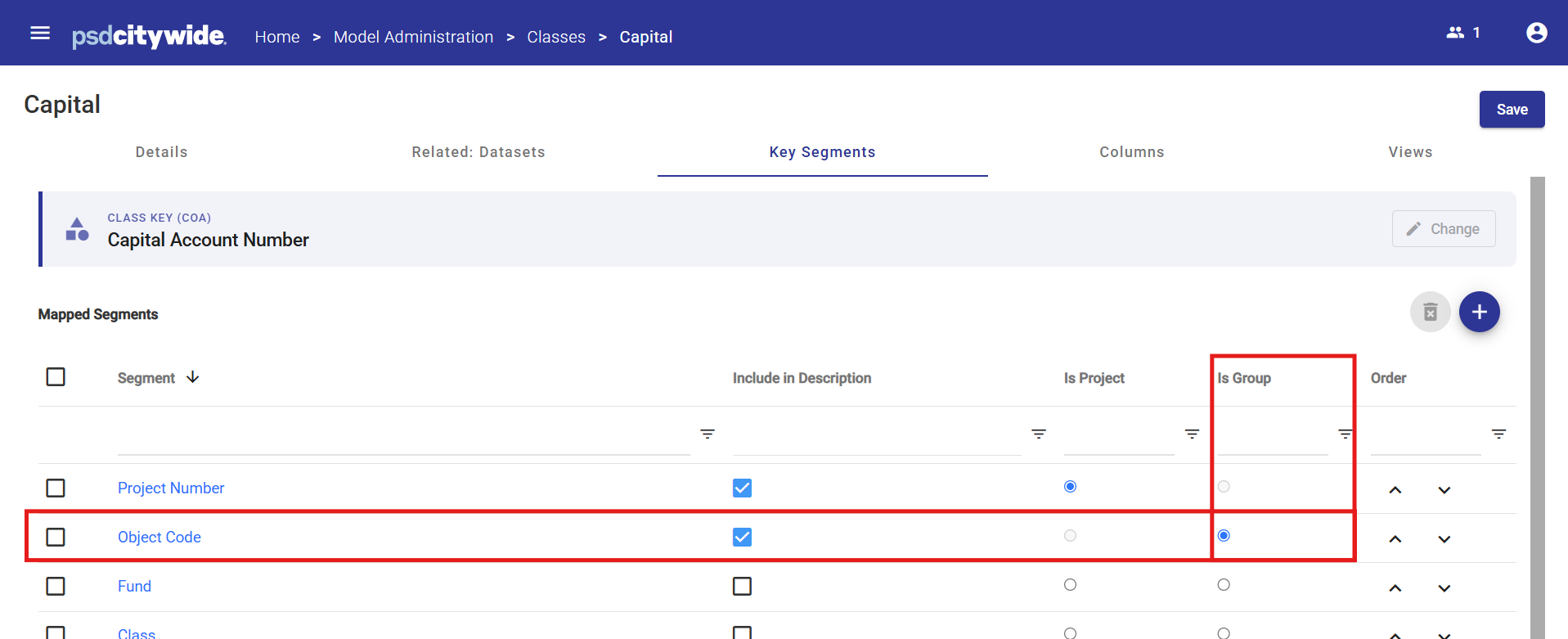
Groups are based on the Key Segment designated as “Is Group” in the Capital Class configuration and are used to roll-up related items for reporting.
Expenditure Groups
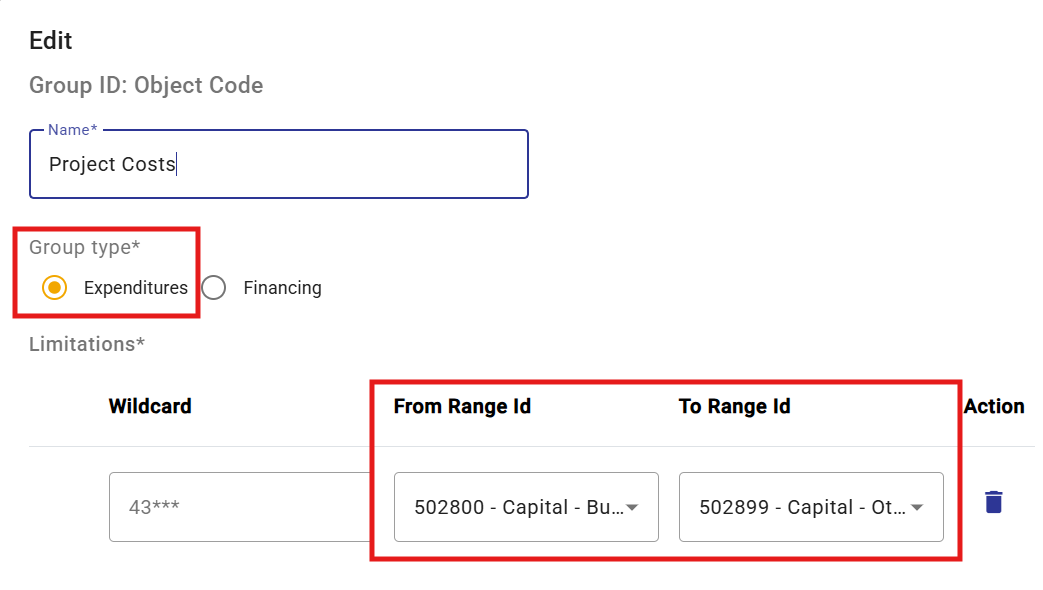
Expenditure Groups define how capital costs are categorized in reports.
- At least one group is required, but multiple groups can be defined
- Groups are user-defined and flexible
Each group is defined using one or more of the following:
- From–to ranges (e.g., 508900–508910 in the example below)
- Wildcard patterns
- 32* → all items starting with 32
- 32??22 → items starting with 32 and ending with 22
- Natural Account Type, where applicable
Financing Groups
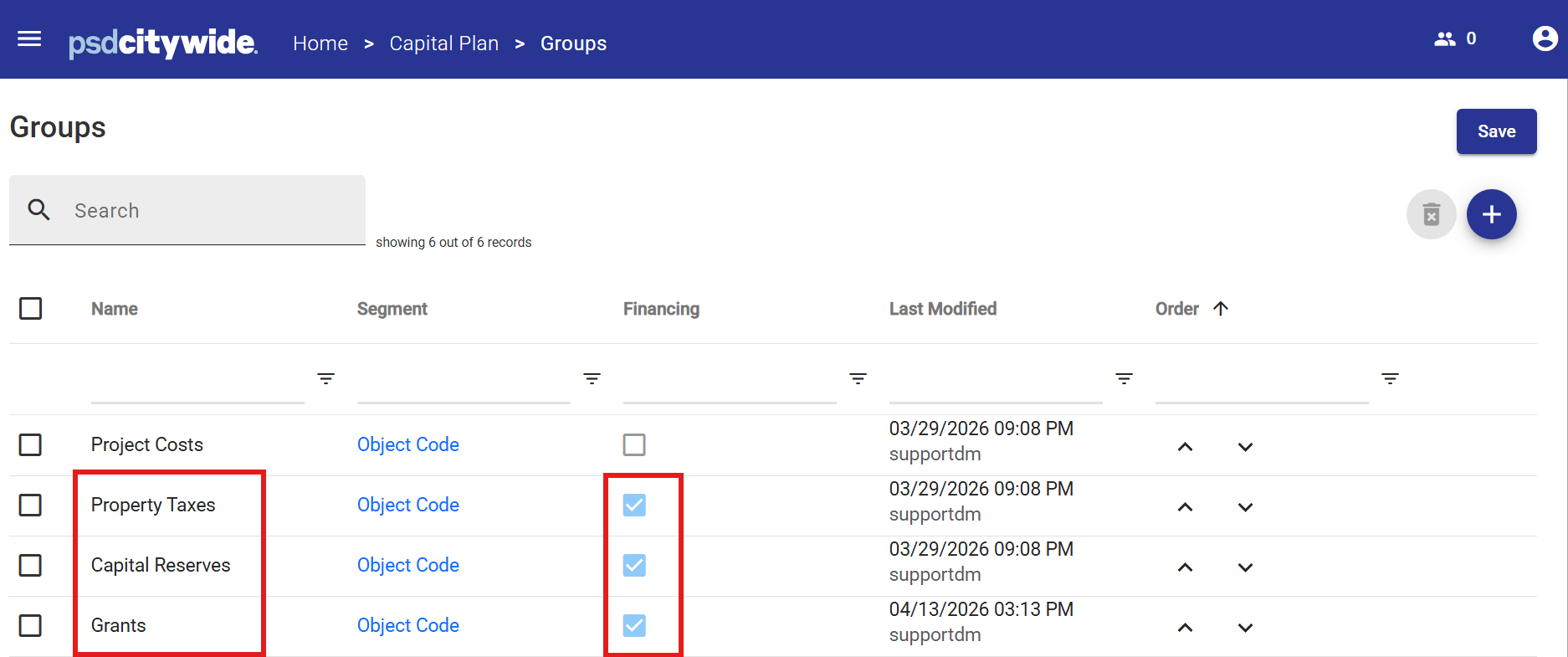
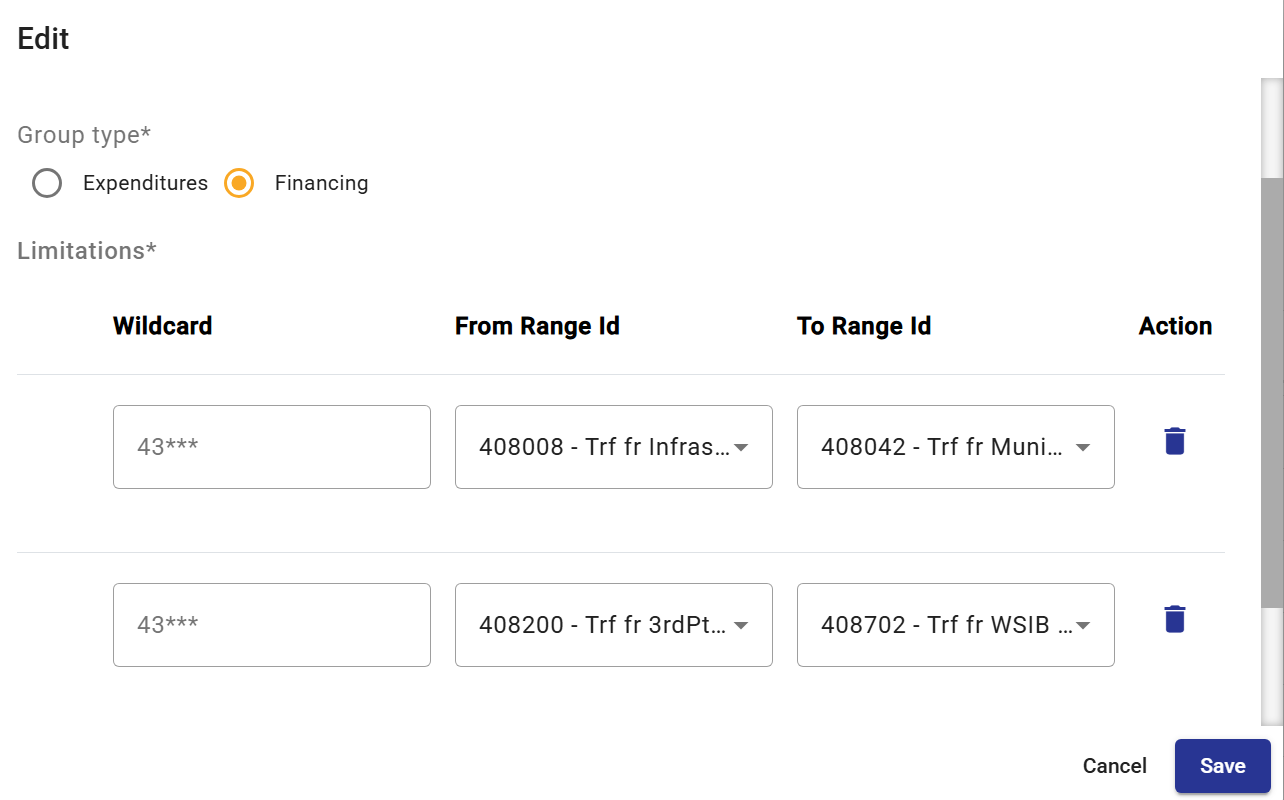
Financing Groups define how funding sources are categorized in reports.
These are configured using the same methods as Expenditure Groups:
-
Ranges
-
Wildcards
-
Natural Account Types
Example financing groups may include:
-
Property Taxes
-
Capital Reserves
-
Grants
Multiple ranges can be assigned to a single group if accounts are non-contiguous.
Summary Template
A customizable Project Summary Report, displaying detailed information for each project, is available in the Projects component of Capital Plan.
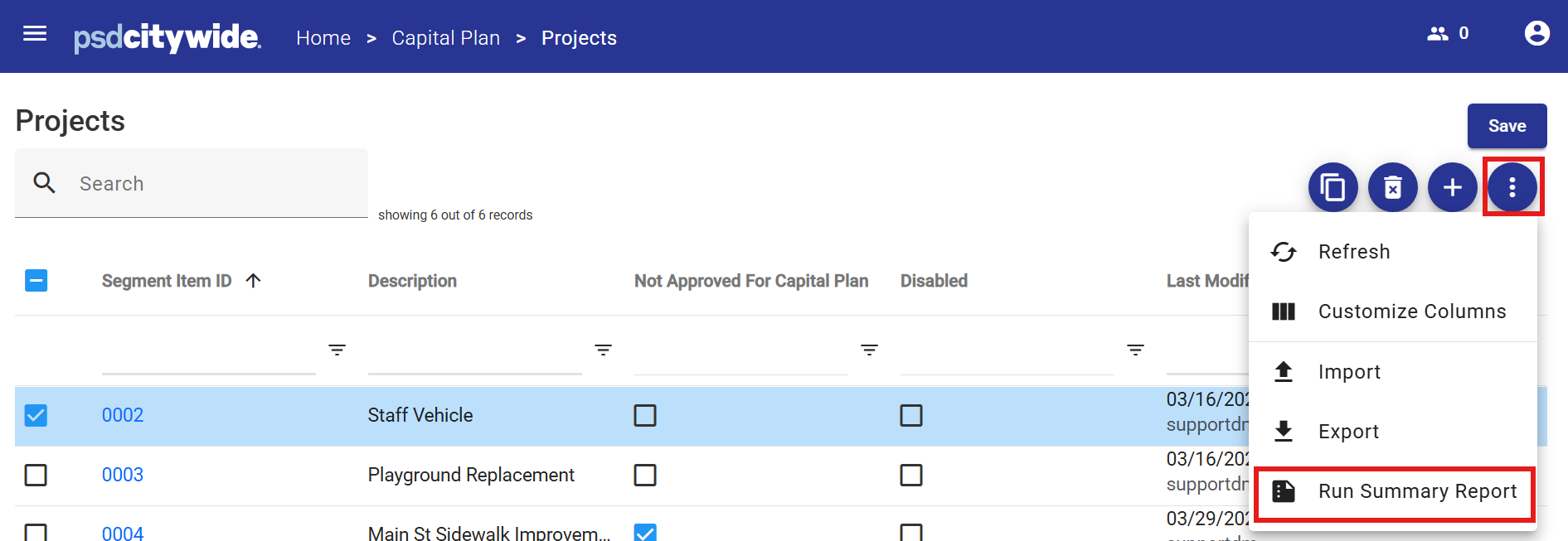
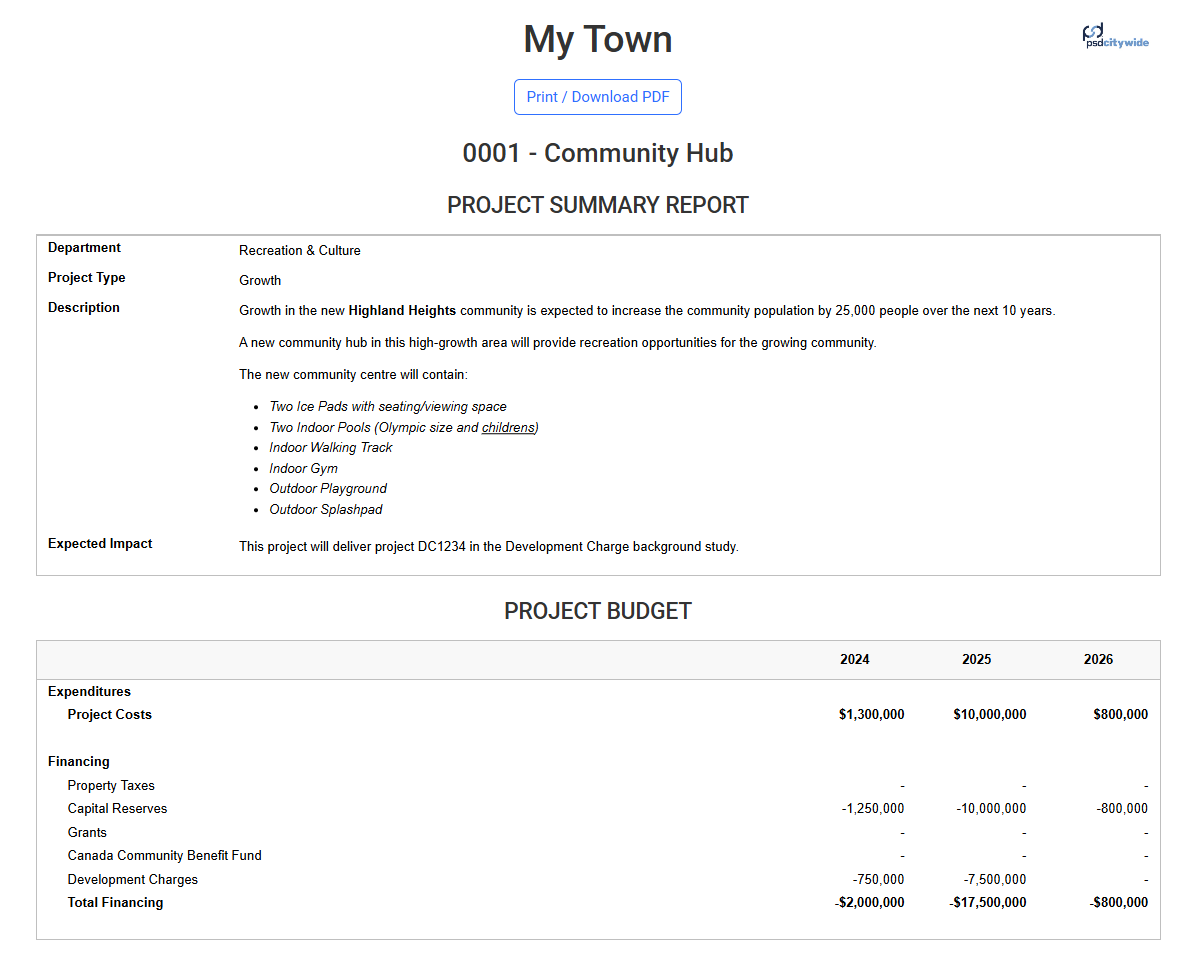
A Project Summary Report provides detailed information for each capital project, including:
- User-entered project details
- Summarized budget data
- Your organization's logo can be included by uploading a picture by
- Navigate to Home > System Administration > Configuration
- Under Logo press the button Browse Files
- Select the appropriate mage file from your computer
Sample Project Summary Report
Configure the Summary Template
The layout and content of the Project Summary Report are configured using the Summary Template in Model Administration.


