Budget Reports are used to review and analyze planned budget amounts for a selected Dataset and Year.
These reports typically summarize:
- Revenues and expenditures
- Departmental budgets
- Budget requests and approvals
- Budget rollups by reporting hierarchy
There are three standard reports in Operating Plan:
- Budget Report
- Variance Report
- Forecasting Report
Budget Report
The standard Budget Report displays:
- Annual budget totals
- Rolled-up totals using reporting Trees
- Comparisons between budget Datasets
Common Use Cases
- Reviewing departmental budget submissions
- Preparing budget approval packages
- Analyzing budget allocations by department, division, or account category
- Comparing requested vs approved budgets
- Producing board or council budget reports
Operating Budget Report Properties
- Dataset and Year selection
- Tree-based rollups
- Comparative columns
- Variance calculations
- Export to Excel or PDF
- Drill-down to detailed account information
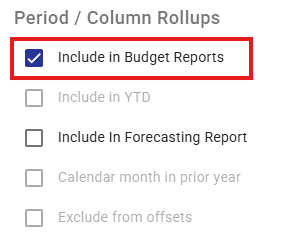
All Class Columns identified as "Include in Budget Reports" are summed to form the total budget amount displayed in all Standard Reports.
Forecasting Report
Forecasts help organizations estimate year-end results and identify potential budget surpluses or deficits.
A required input to this report is to have a Dataset from the Forecasting & Variance folder that will provide Forecast financial amounts.
Forecast Reports show forecast financial results input by users through the Forecast process. Their forecast will typically be based on:
- Current year-to-date actual results
- Original budget data
- Updated forecast based on assumptions
- Revised activity and cost or price projections
Common Use Cases
- Mid-year financial reviews
- Quarterly forecasting exercises
- Identifying emerging budget pressures or savings
- Updating financial projections based on operational changes
Operating Forecast Report Properties:
- Budget + Forecast combined reporting
- Year-end projection calculations
- Variance to budget analysis
- Department and account rollups
- Export to Excel and PDF
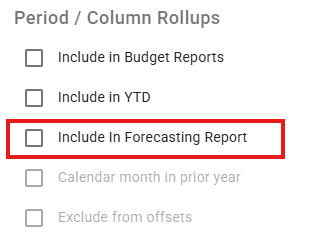
The Class Column identified as "Include in Forecasting Report" is the Forecast amount displayed in all Standard Reports.
Variance Report
Variance Reports compare two financial datasets or periods to identify differences between values. Common comparisons include:
- Budget vs Actual
- Current Year vs Prior Year
Variance Reports help users identify:
- Over-budget conditions
- Revenue shortfalls
- Unexpected trends
- Areas requiring management attention
Common Use Cases
- Monthly financial monitoring
- Management reporting
- Budget control and oversight
- Investigating significant financial changes
- Preparing executive summaries and board reports
Operating Variance Report Properties
- Dollar and percentage variances
- Tree-based rollups
- Drill-down to accounts
- Export to Excel or PDF
All Class Columns identified as "Include in Budget Reports" are summed to form the total budget amount displayed in all Standard Reports.
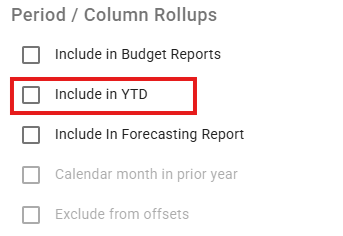
All Class Columns identified as "Include in YTD" are summed to form the total YTD Actual amount displayed in all Standard Reports.