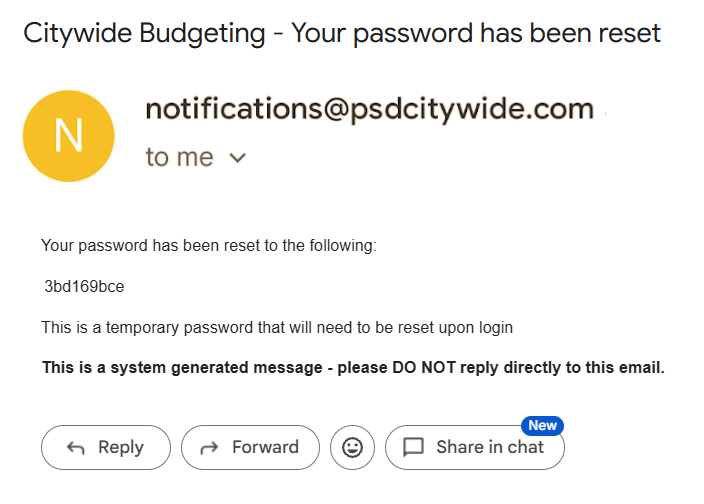
Access to Citywide Budgeting (CWB) is on a different portal than other Citywide solutions. That means that you are managing a separate login and password.
URL for Citywide Budgeting is https://budget.citywidesolutions.com/
1. Login with the password that was provided to you by your System Administrator or Implementation Advisor.
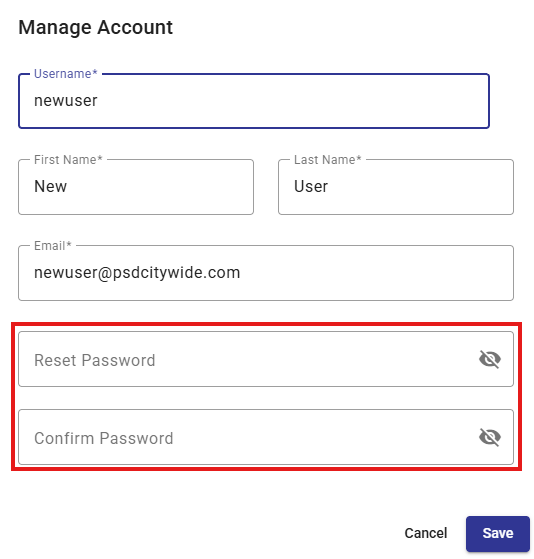
2. Then press the User Menu icon on the top right and then select My Account.

3. In the new pop-up you can enter you new password, and then re-enter it to confirm it. You can then Save.
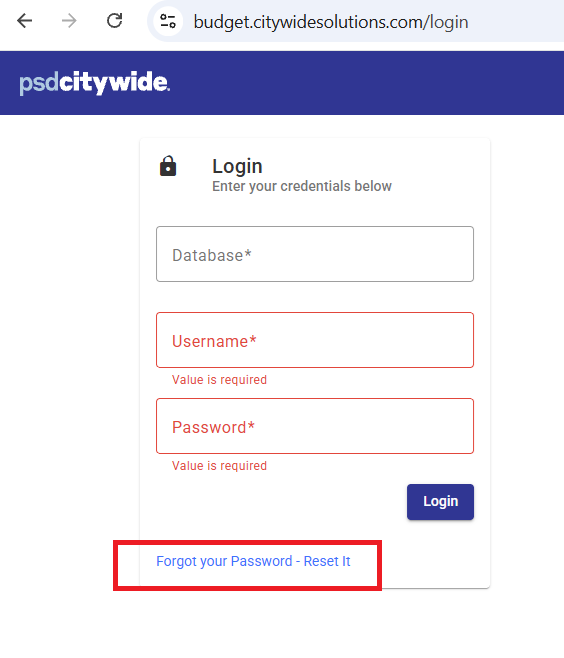
In order to use this function you must already have a Username configured in Citywide Budgeting.
1. From the login screen there is hyperlink to "Forgot your Password - Reset it"
2. After going through the required steps. You will get an email sent to the one that is associated to your CWB user.
3. The email will be from [email protected] and may end up in you Spam or Inbox please check both. See below for what this email looks like.